 Memory Rolls
Brand Activation Photo Sharing: Turn Attendees Into Your Content Team
How to run photo sharing at a brand activation: collect every visitor's shots, handle consent, pick photo ideas and measure results without an app download.
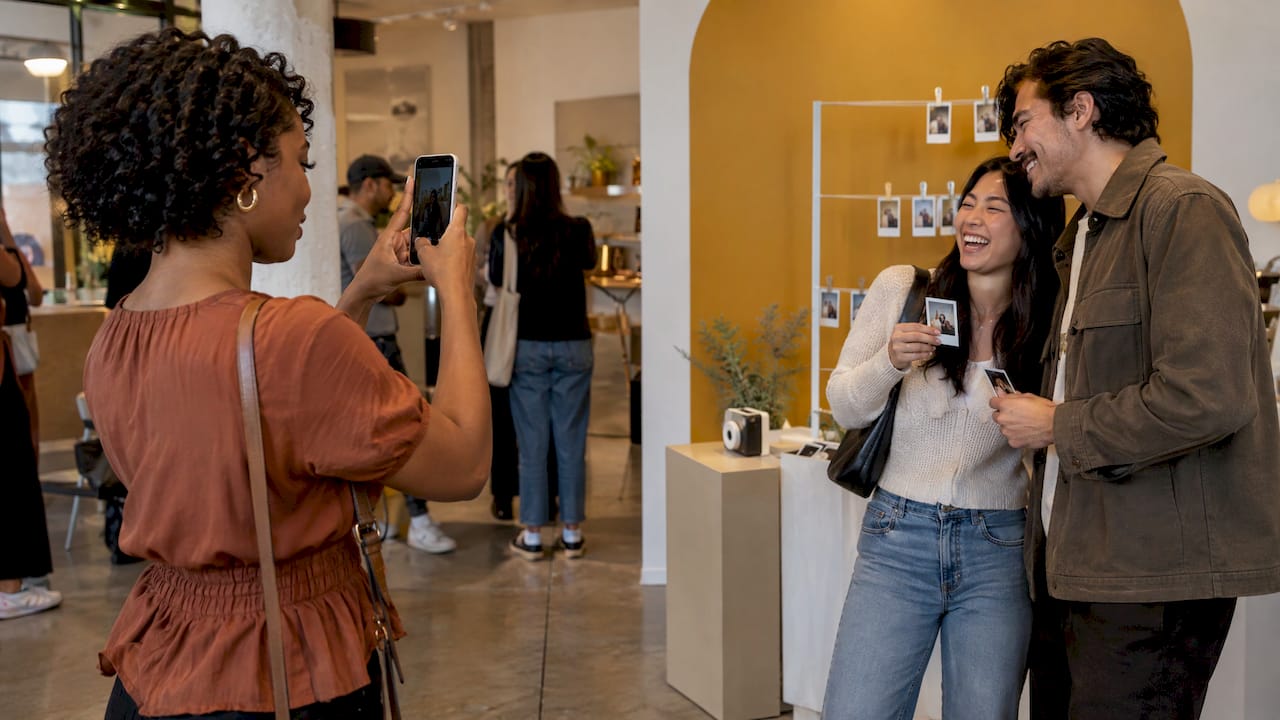
The simplest way to run photo sharing at a brand activation is to give every visitor a camera they already own and one scan to start. A QR code on your signage opens a limited-shot camera in the phone's browser. Every photo lands in one private album that your team curates and then shares back. No app, no account, no photo booth line. You get candid content from dozens of angles, and visitors get their pictures without handing over anything beyond a scan.
This guide covers how to set that up, what to photograph, how to handle consent and how to measure whether the photos did their job.
TL;DR
- Photo sharing works at activations because the brand shows up inside content attendees actually want, not as an interruption.
- A QR code that opens a camera in the browser removes the biggest drop-off point: downloading an app or creating an account.
- Limit shots per guest, curate before you publish and ask for photo-use consent separately from marketing sign-ups.
- Track scans, uploads, downloads, onward shares and any offer-code use, not just the number of photos.
- Event Camera starts free for the first five guests and then charges per seat, with no subscription.
Table of Contents
- Why shared attendee photos support a campaign
- Why the app download kills participation
- How to set it up: a six-step routine
- Brand activation photo ideas visitors will actually use
- UGC and consent: ask clearly, keep it separate
- Connecting the photos to social and the rest of the campaign
- Metrics that show whether the photos worked
- What it costs
- Run your next activation with Event Camera
- FAQ
- Sources
Why shared attendee photos support a campaign
A brand activation lives or dies on what people do after they walk away. A photo is the unit of that behavior: someone captured the moment, kept it and may post it. Event Tech Live describes the value of branded photo galleries as the sponsor traveling inside content attendees actively look for, rather than interrupting the experience with an unrelated ad.
That framing is useful for planning. If the photo is the reason a visitor opens your brand's page, then the quality of the photo experience matters more than the size of the banner above it.
There are three practical reasons to collect photos from the crowd instead of relying on one hired photographer or a booth:
- Coverage. One photographer sees one angle at a time. Fifty visitors see the whole space, including the moments nobody staged.
- Authenticity. Candid shots from a visitor's own point of view read as real. Posed step-and-repeat shots read as advertising.
- Throughput. A booth serves one group at a time. Every phone in the room can be a camera at the same moment.
If you are weighing a booth, our photo booth alternatives guide lays out the options by type.
Why the app download kills participation
Every step between a visitor and their first photo loses people. Downloading an app, creating a profile and confirming an email are three steps most attendees will not take in a busy activation, where attention lasts seconds.
The approach that fits live events is a browser camera. The visitor scans a code, the camera opens and they shoot. We explain the mechanics in how scanning a QR code to upload photos works, and the setup in our guide to QR code photo sharing for any event.
A limited number of shots per guest is part of the design. It pushes people to choose their moments, keeps the album from filling with hundreds of near-identical frames and makes the curation job on your side manageable.

How to set it up: a six-step routine
1. Decide what the photos are for
Write down one primary use before you build anything: social posts, a sponsor recap, a lead-capture hook or an internal case study. The use decides the shot limit, the prompts and the consent wording.
2. Put the QR code where people already pause
Place it at the queue, the sampling table, the exit and anywhere visitors wait. A code on a hero sign people walk past does less than a code beside something they are about to photograph. Add a short line of instruction: what it opens, how many shots they get and what they get back.
3. Set the shot limit
A small number of shots makes each one count. Event Camera lets the organizer control how many shots each guest gets, so you can set a tight limit for a high-traffic activation and a looser one for an invite-only dinner.
4. Brand the experience
Custom branding is available for organizers, so the camera itself carries your identity rather than a generic look. Match it to the signage so visitors trust the code they are scanning.
5. Curate while the event runs
Pick the best shots into a shared album as the day goes on. Netinfluencer's roundup of creator-economy operators describes the playbook as a pre-event capture kit (hashtags, QR codes, signage, a consent and submission flow), real-time monitoring with daily shortlists, then 6 to 15 second cutdowns sized for vertical feeds. One operator in that piece says 95% of event content disappears when it is treated as spontaneous UGC rather than a system. The takeaway: decide who curates, and when, before doors open.
6. Share back and download
Send visitors to the curated album, and download the full set in bulk for your own library. Photos are kept for 90 days, so plan your downloads and your posting calendar inside that window.
Brand activation photo ideas visitors will actually use
People photograph things that give them a reason to. Build one visual hook into the space, then let the camera do the rest. A few formats that work with a scan-to-shoot camera:
- A photographable centerpiece. An oversized product, a mural wall or a installation with a clear focal point. Visitors will frame it from their own angle, which gives you variety a single photographer cannot.
- Reaction moments. Taste tests, reveals and demos produce faces, which are the shots that get shared. Put the QR prompt right at the reveal.
- Behind-the-scenes angles. Staff setting up, the product being made, the crowd forming. Candid coverage of this kind is hard to stage and easy to collect when every guest is a camera.
- Prompt cards. A small sign near the code with a challenge: shoot your favorite detail, shoot the person next to you, shoot the thing we missed. Prompts turn a limited number of shots into a small game.
- Short video. The camera supports short videos as well as photos, which suits reactions and demos better than stills.
- Take-home proof. Tell visitors they will receive their own shots after the event. The promise of a keepsake is a stronger reason to scan than a request to tag a brand.
We collected more ideas in brand activation ideas visitors will actually photograph. For multi-room events, see conference photo sharing for attendees, and for private guest lists, private event photo sharing.
UGC and consent: ask clearly, keep it separate
If you plan to repost attendee photos on brand channels, consent is part of the design, not an afterthought. Two points from the research are worth building in.
First, keep the choices separate. The Ticket Fairy Promoter Blog recommends separate affirmative choices for promotional photo reuse and for marketing updates, so a visitor who agrees to one is not automatically signed up for the other. The same guide presents this as a trust-builder: attendees can still receive their photos even if they decline promotional reuse.
Second, signage helps but is not a full shield. Netinfluencer's operators say crowd-release signs act as notification and often as legal protection, but are not absolute. Stronger protection comes from pairing on-site release forms with explicit permission when you want to repost, using rights templates that name the usage, duration, countries and platforms.
For a practical US walkthrough, read our guide to event photo consent for organizers. For anything involving minors, sensitive venues or paid advertising use of someone's image, have your own attorney review the release wording before the event.
Because Event Camera collects everything into a private album that the organizer curates, you decide what gets published and what stays internal.
Connecting the photos to social and the rest of the campaign
The curated album is raw material. Plan where each piece goes:
- Same-day posts. A handful of the best shots, posted while the event is still running, with the event hashtag.
- Short cutdowns. Reaction videos trimmed to a few seconds for vertical feeds.
- Follow-up email. The album link, sent to attendees who opted in to hear from you.
- Sponsor and stakeholder recap. A selected set with simple numbers beside it.
Older trade-press evidence shows an integrated approach can move numbers. An EXHIBITOR case study, Drawing a Crowd, reports that one company's integrated photo-based trade show experience collected 150 leads against a goal of 100, and the campaign saw a 10% increase in pre-show website traffic and a 5% increase in Twitter followers. It is a 2013 US example and the tools have changed, but the logic holds: tie the photo moment to a next step.
Metrics that show whether the photos worked
Counting photos is the weakest measure. Count what happened to them. A useful scorecard:
| Metric | What it tells you | Where to find it |
|---|---|---|
| QR scans | How many visitors were interested enough to start | Scan count against foot traffic |
| Participants who shot at least once | Real participation, not curiosity | Album uploads per guest |
| Curated shots published | How much usable content you got | Your shortlist |
| Album views and downloads | Whether visitors wanted their photos | Gallery and download counts |
| Onward shares | Reach beyond the event | Social posts, hashtag and tag monitoring |
| Offer-code use or sign-ups | Business result | Your promo or CRM data |
The Ticket Fairy guide recommends tracking QR scans and downloads, hashtagged posts and impressions, sentiment and feedback, and sign-ups or offer-code conversions. That matches the table.
For scale, Event Tech Live reports one sponsor-branded gallery deployment that distributed 20,083 photos and drew 17,141 gallery views, with 6,903 photos downloaded and 2,309 unique advocates sharing photos onward. Those are one deployment's results, not a benchmark for yours. The ratios are worth noticing: views, downloads and shares each fall off in order, so measure each step separately.
Once posts are live, you can compare your social results against published Instagram engagement rate benchmarks to see how your event content performs next to typical accounts. Set your targets before the event, so the numbers answer a question you already asked.

What it costs
Event Camera uses per-event pricing based on the number of seats, with no subscription. The first five guests are free. After that, one-off per-seat prices on the pricing page step down as attendance grows:
| Seats | One-off price per seat |
|---|---|
| 1 to 5 | Free |
| 6 to 25 | $1 |
| 26 to 100 | $0.40 |
| 101 to 250 | $0.30 |
| 251 and up | $0.20 |
You can also let guests pay: a guest-paid event seat is $1.99 per person, and guest codes are $1 per seat. That flexibility lets a brand cover the whole event or pass the cost to attendees, for example at a ticketed experience.
We built Event Camera around one belief: the best event photos come from the people in the room, and they only take them if it is effortless.
At a brand activation, every extra step costs you a participant. That is why our camera opens from a QR scan with no app and no account, why organizers set how many shots each guest gets and why the album is private until you curate it. You choose what the public sees. Visitors get the feeling of a disposable camera, a few deliberate shots, and you get coverage no single photographer can match.
Pricing follows the same idea. You pay per event and per seat, you choose whether the host or the guests pay, and there is no subscription to manage between campaigns. Branding is yours to customize, so the experience looks like your activation rather than ours.
Plan the system first: the prompt, the consent wording, the curation and the metrics. Then let the crowd shoot.
Uday
Run your next activation with Event Camera
If you are planning a launch, pop-up or sponsor booth, Event Camera gives every visitor a branded, limited-shot camera from a single scan, and gives you one curated album to publish from. See how it works for brand activations, check the seat pricing or start at memoryrolls.com.

The same setup suits weddings and college events and Greek life when your brand audience is there.
FAQ
Do attendees need to download an app to share photos?
No. With Event Camera, guests scan a QR code and shoot from their phone's browser. There is no app download and no account to create, which keeps participation high in a fast-moving activation.
How long are the photos kept?
Photos are retained for 90 days. Download the full set in bulk and publish your curated selection within that window so nothing is lost.
Who pays for the guests' cameras?
You choose. The host can pay per seat, with the first five seats free, or guests can pay individually through a guest-paid seat at $1.99 per person. Guest codes are $1 per seat.
Can I customize the camera with my brand?
Yes. Organizers can customize the experience for branding, so it matches your signage and campaign look.
How should I handle permission to repost attendee photos?
Ask for photo-use consent separately from any marketing sign-up, name how and where you will use the images and keep a record. Our US consent guide walks through the steps, and your attorney should approve release wording for paid advertising use.
Sources
- Premagic and the rewriting of event sponsorship measurement, Event Tech Live
- From Events To Assets: 22 Creator Economy Operators, Netinfluencer
- UGC Engines for Festivals: Photo Moments with Consent, Ticket Fairy
- Drawing a Crowd, EXHIBITOR