 Memory Rolls
Company Retreat Photo Sharing: How to Collect Every Angle
How to collect, curate and share company retreat photos: a QR-code album that needs no app, consent basics, a simple routine and what it costs per guest.
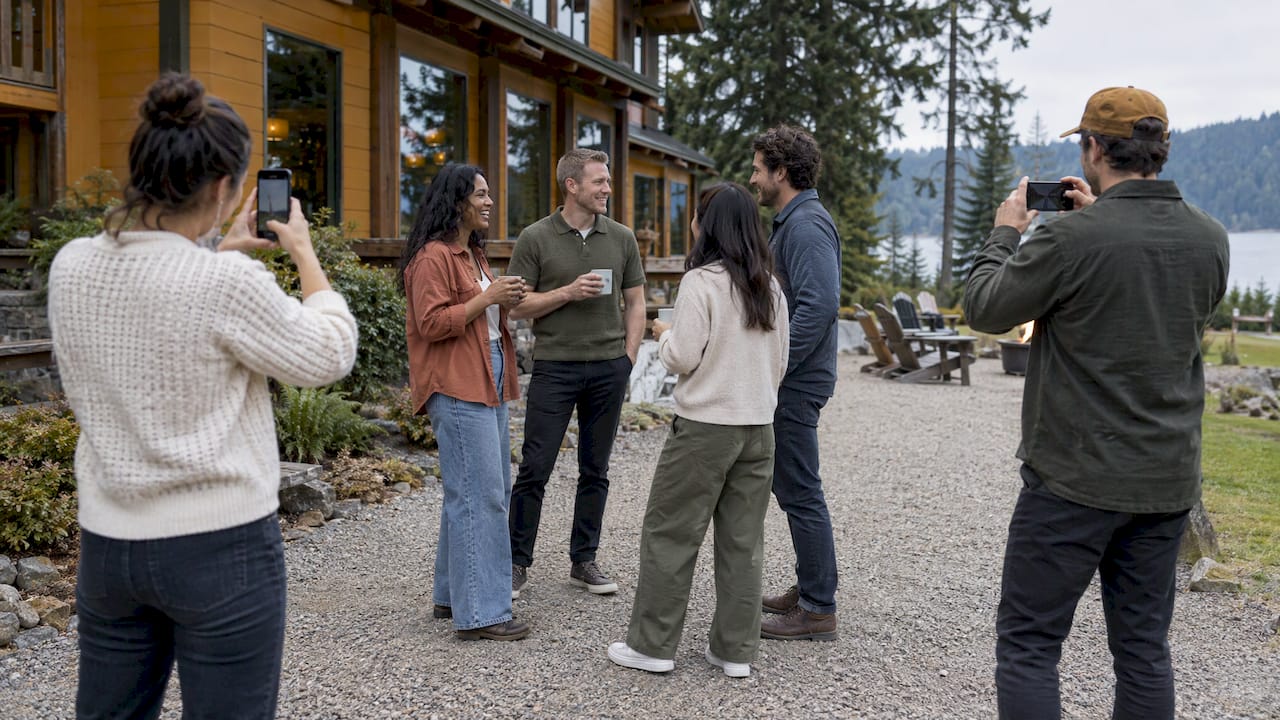
The simplest way to share company retreat photos is to give every attendee a way to add their own shots to one private album, without asking them to install anything. A QR code posted at the retreat does that: guests scan it with the phone they already carry, take a limited number of photos, and you curate the best into a shared album afterward. That is how Memoryrolls' Event Camera works, and this guide covers the routine around it: what to collect, how to get people to take pictures, how to curate, and what to settle on privacy before anyone posts anything.
TL;DR
- Retreat photos come from the people in the room. A hired photographer captures the posed moments, but guests capture the hallway jokes, the late-night card game and the hike nobody scheduled.
- A QR code that opens a camera in the phone's browser removes the usual blockers: no app download, no account, no group chat to join.
- A per-guest shot limit keeps the album focused, and curating before you share keeps it useful.
- Settle consent and access before the retreat: tell people photos are being taken, keep the album private, and get written permission before using faces in marketing.
- With Event Camera, the first five guests are free, then pricing runs per seat from $1 down to 20¢ as headcount grows.
Table of Contents
- Why retreat photos usually end up scattered
- What to collect at a retreat
- How a QR-code photo gallery works at a retreat
- Choosing a way to share retreat photos
- Getting people to take photos worth keeping
- Privacy, consent and access: settle these first
- Curating and distributing the album after the retreat
- What it costs
- Event Camera for your retreat
- Our perspective
- FAQ
- Sources
Why retreat photos usually end up scattered
After a retreat, the photos exist. They are just in 40 different places: camera rolls, a Slack channel that scrolled away, a few texts, and one coworker's cloud folder that half the team cannot open. Nobody decided that on purpose. It happens because the default way to share photos is to ask people to send them, and sending takes effort when the retreat is over and Monday has arrived.
The problem has three parts:
- Collection. People take photos but never hand them over.
- Quality. The photos that do arrive are 300 near-identical group shots and a blurry sunset.
- Access. Nobody is sure who is allowed to see them, so no one posts them, and the album dies.
A good retreat photo-sharing setup solves all three before the event starts, not afterward.
What to collect at a retreat
Before choosing a tool, decide what you want the album to hold. Most retreats benefit from four kinds of images:
- Candid moments. People laughing during a break, a whiteboard session turning lively, teammates helping each other on an activity. These are what people actually want to look at later.
- Small-group shots. Dinner tables, hiking groups, the team that won the challenge. Group photos of four to eight people are warmer than a 60-person lineup.
- The place. Rooms, views, signage, the food. These give the album context and are handy for planning next year's trip.
- Short videos. A toast, a cheer, a ten-second walk through the venue. Short clips often carry more energy than stills.
If you want a ready list of prompts, our team building photo ideas and company offsite photo ideas for a multi-day team trip break these into shots and challenges you can hand out.
How a QR-code photo gallery works at a retreat
The idea is the one behind a disposable camera, moved onto phones. Here is the flow with Event Camera:
- You create the event. You set the number of guests and decide who pays: the company (host-paid) or each attendee (guest-paid). You can also customize the camera with your branding and set how many shots each guest gets.
- You share the QR code. Put it on the welcome sheet, on a table card, on a slide between sessions, or in the pre-trip email.
- Guests scan and shoot. Each person opens the camera on their phone, with no app download and no account. They take photos and short videos up to their limit.
- Everything lands in one private album. You, as the organizer, see all of it in one place.
- You curate and share. Pick the best shots for the shared album everyone can view, and download in bulk when you need the files for an intranet post or a slide deck.
Two details matter for retreats in particular. First, there is no sign-up step, which matters because retreat schedules are packed and people will not do homework to join a photo project. Second, the limited number of shots changes behavior in a useful way: when each photo counts, people look for the moment worth taking rather than firing off 60 versions of the same group pose.
Choosing a way to share retreat photos
There are a few common routes, and each fits a different situation. Here is how they compare on what an organizer actually needs.
| What you need | Shared cloud folder | Group chat or Slack channel | QR-code event camera |
|---|---|---|---|
| Guests need an account or app | Often yes | Yes, plus being in the right channel | No |
| Photos arrive during the event | Only if people upload | Scattered | Yes, straight into one album |
| Organizer can curate before sharing | Manual sorting | Not really | Yes |
| Per-person shot limit | No | No | Yes |
| Branded for the company | No | No | Yes |
| Controlled access | Depends on link settings | Everyone in the channel | Private album you control |
For a retreat, the QR-code route is the one built for the job. It collects while the event is happening, which is when people are most willing to take photos, and it gives you the curation step that a folder or a chat thread lacks.
Getting people to take photos worth keeping
The tool collects what people shoot. Your job is to make shooting feel easy and slightly fun. A few routines that work:
Make the QR code impossible to miss
Put it in three places: the pre-trip email, the first-morning welcome, and somewhere people pass many times a day, like the coffee station or the dining-room door. People scan when the code is in front of them at a relaxed moment, not when they are told once at 9 a.m.
Give a reason, not an instruction
"Please upload photos" is a chore. "We are building the retreat album together, and everyone gets 24 shots" is a game. Say how many shots each person has and what the album will be used for, such as a team slideshow at the next all-hands.
Hand out light prompts
Prompts help the reserved people who would otherwise skip it. Try:
- The best snack of the day
- Something that looks like our team's inside joke
- Your view from the session you almost fell asleep in
- A teammate doing something they are great at
- The most photogenic spot at the venue
If your retreat is wellness-focused, a small roll for each day keeps the pacing gentle and gives each day its own story.
Plan a few stops that photograph themselves
An evening out is a reliable source of candid shots. If the retreat is in Los Angeles, a stop like the celebrity selfie tour in LA is the kind of outing where everyone pulls out a phone anyway, so the QR code on your agenda card gets used.
Do not rely on the organizer to shoot
If you are running the retreat, you are the one person who will not be in the photos and will not have time to take them. Distributing the camera to every attendee is how you get coverage without giving up your day.
Privacy, consent and access: settle these first
This is the part most retreat organizers skip, and it is the part that decides whether the album gets used. A few practical points for US companies. This is general information, not legal advice; if you plan to use employee images in advertising, run your plan by your company's counsel or HR.
Telling people photos are being taken
Say it in the pre-trip email and on the agenda: the retreat has a shared photo album, everyone can contribute, and everyone can see what is in it. Setting that expectation is the step that prevents awkward conversations later. Our guide to event photo consent for US organizers walks through what to say and when.
Internal sharing vs. public use
Sharing a retreat album with the attendees is a different thing from putting those faces on your website, recruiting page or paid ads. In the US there is no single federal law requiring a standalone use-of-images policy, but companies face state right-of-publicity and privacy laws that vary by jurisdiction, and separate written permission is recommended when employees take part in testimonials or advertising. Some state statutes require written consent before a person's name or picture is used for advertising or trade purposes, and a signature in the employee manual or an offer letter may not be enough.
The practical rule: the album you share with the team is one step, and a specific marketing use is another that gets its own permission.

Keep consent voluntary
If you do use a release form for marketing, make it genuinely optional. One employee photo release template notes that employees can refuse to sign without adverse employment action, that revoking consent applies only going forward and cannot pull back content already distributed, and that state privacy laws vary, so the form should be reviewed with a legal team.
Keep the album private by default
A retreat album belongs to the people who were there. With Event Camera, the collected photos sit in a private album controlled by the organizer, and you choose which ones go into the shared album. That curation step is also a privacy step: you can leave out the shot where someone is mid-bite or the photo from a moment someone would rather forget. For the afterwards side, see how to share event photos privately.
One more practical point: photos are kept for 90 days, so decide your download date early and save the final set to your company's own storage.

Curating and distributing the album after the retreat
Collecting is half the job. A retreat album that gets looked at is a short one with clear structure. A routine that takes about an hour:
- Wait a day. Let the energy settle, then review with fresh eyes. Within the week is better than within the month, because people are still talking about the trip.
- Cut duplicates first. Keep the one best frame from each cluster of similar shots.
- Look for coverage. Does every person appear at least once? Are there shots from each day and each activity? Fill gaps by asking for a specific photo, not for everything.
- Remove anything that could embarrass someone. When in doubt, leave it out.
- Pick a hero set. Ten to 20 images are the ones you will pin, post and put in slides. The rest remain in the album for people who want more.
- Share with context. Send the link with a short note: what is in the album, who can see it and how long it stays available.
- Download the set you need. Bulk download gets you the files for your intranet, newsletter or next-year planning deck.
If you also run a December party, the same routine carries over; our company holiday party photo ideas show how.
What it costs
Event Camera has no subscription. You pay once per event, by the number of seats, and you decide whether the company or each guest covers the cost. The published rates, on the pricing page:
| Seats | One-off price per seat |
|---|---|
| First 5 guests | Free |
| 6–25 | $1 |
| 26–100 | 40¢ |
| 101–250 | 30¢ |
| 251 and up | 20¢ |
| Guest codes | $1 |
| Guest-paid event seat | $1.99 per person |
The per-seat price falls as the group grows, which suits retreats from a 12-person leadership offsite to a company-wide gathering of several hundred. If you prefer that attendees cover their own cost, the guest-paid option is $1.99 per person.
Event Camera for your retreat
If you want every attendee's view of the retreat in one private album, Event Camera is built for it: a QR code, no app and no account for guests, a shot limit for each person, company branding, and curation by you. Set up your event on the Memoryrolls site and pick the seat count that matches your headcount.

It is also useful beyond retreats. Venues, brand activations, weddings and student groups use the same approach; see who uses a disposable camera app for more than 40 examples.
Our perspective
We built Event Camera around a simple observation: the people at an event see things no hired photographer will. A retreat is mostly small moments between sessions, and those belong to the attendees.
That is why we skip the app and the account. A person who has to install something before taking a photo usually does not, so the QR code opens a camera and nothing else. The shot limit is deliberate too. It nudges people toward the photo worth taking rather than the fifteenth identical group shot.
We also think organizers should stay in charge of the final album. You decide who pays, how many shots each guest gets, which photos go into the shared album and how it is branded. And because pricing is per event, with no monthly fees, you pay when you have a retreat and not when you do not.
If you do one thing differently at your next retreat, put the QR code where people pass it ten times a day and tell them what the album is for.
Uday
FAQ
How do I collect photos from everyone at a company retreat?
Give every attendee the same QR code and tell them how many shots they have. With Event Camera, guests scan with their own phone, take photos and short videos with no app and no account, and everything goes to a private album you control. Post the code in the pre-trip email, at the welcome session and at a spot people pass often.
Do employees need to give consent for retreat photos?
Tell everyone in advance that photos are being taken and shared with attendees. For marketing uses such as your website, recruiting pages or ads, get separate written permission, and keep it voluntary. State laws vary, so have your legal team or HR review the form.
How long are retreat photos kept?
Photos in Event Camera are retained for 90 days. Plan to review the album within the first week or two and download the final set in bulk to your own storage well before the window closes.
Can the company pay for everyone, or should attendees pay?
Either works. You can set the event to host-paid, so the company covers each seat at the per-seat rate on the pricing page, or guest-paid, where each person pays $1.99. The first five guests are free.
How many photos should each person get?
There is no single right number, since you set the limit per guest. A limit that leaves room for the whole trip, spread across a few days, encourages people to pick their moments. Mention the number in your launch message so it feels like part of the fun.
Sources
- Federal Use of Images and Video Policy: Free Template (2026)
- Your Employee's Right of Publicity (NIL), Venable
- Free Employee Photo Release Form Template
- TMZ Celebrity Selfie Tour, Golden Ticket LA Sightseeing Tours