 Memory Rolls
How to Collect Event Photos From Every Guest
Collect event photos from every guest without apps or chasing group chats: set up a QR-code camera, invite guests, curate the album and handle consent.
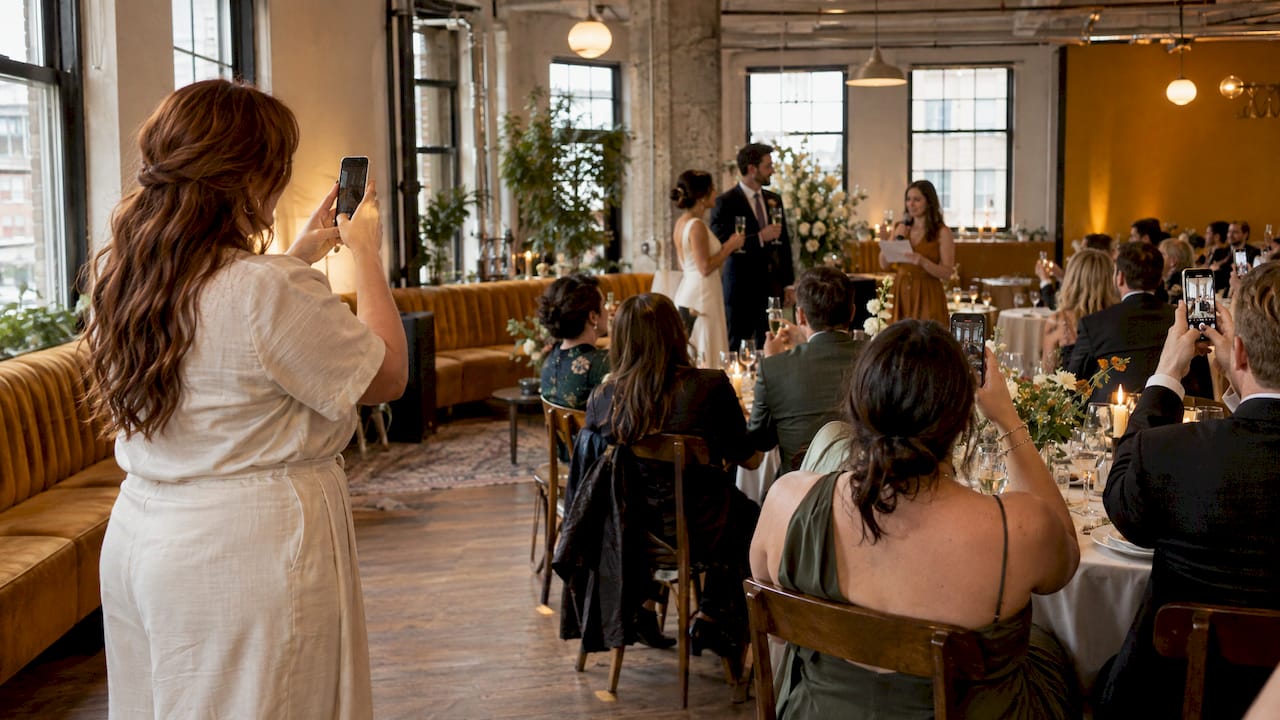
The simplest way to collect event photos is to give every guest one scannable QR code that opens a camera in their phone's browser, with a set number of shots each, and have every picture land in one private album you control. No app to install, no account to create, no group chat to chase afterward. That is how Event Camera works, and the rest of this guide shows how to set it up, how to get guests to actually use it, and how to handle consent and the album afterward.
TL;DR
- Guests will not download an app or sign up for anything at your event. A QR code that opens a camera in the browser removes that friction.
- A shot limit per guest makes people choose their moments, so you get candid pictures instead of 400 near-identical frames.
- Collect everything in one private album, curate it, then share the best shots with all attendees.
- Tell guests photos are being taken and where they will appear. Get a guardian's permission before publishing images of children.
- Event Camera is free for the first five guests, then priced per seat as a one-off fee, with no subscription.
Table of Contents
- Why collecting guest photos beats relying on one photographer
- The common ways to collect photos, and where they break
- How to collect event photos, step by step
- Getting guests to participate
- Consent and privacy when guests are photographing each other
- Tailoring collection to your event type
- What it costs
- Our perspective
- Run your next event with Event Camera
- FAQ
- Sources
Why collecting guest photos beats relying on one photographer
A professional photographer stands in one place at a time. Your guests are everywhere: at the back table, on the dance floor, in the hallway where the best conversations happen. Together they see the event from dozens of angles that no single person can cover.
They also want to share. A Lindenwood University thesis on attendee psychology reports that 97% of event attendees will post their photo or video to social media, and argues that in-the-moment, high-quality imagery builds a relationship between an organization and its audience. The same thesis quotes an Army Ten-Miler business manager explaining that people want to see their own image posted. In other words, guests are already taking the photos. The only open question is whether those photos end up in one place you can use, or scattered across 80 camera rolls.
This is what people mean by crowdsourced event photography: every attendee becomes a photographer, and you collect and curate what they capture. It works for four kinds of organizers in particular:
- Couples who want the wedding from every guest's perspective, not only the formal portraits.
- Event planners who want a documentation layer that feels unique to each event.
- Companies that want candid coverage of an off-site, conference or brand activation.
- Venues that want guests leaving with shared memories tied to the space.
The common ways to collect photos, and where they break
Most organizers try some version of the same few approaches. They differ mainly in how much they ask of guests.
| Approach | What guests must do | Where it usually breaks |
|---|---|---|
| Ask guests to text or email photos afterward | Remember, find the best shots, send them | Most never do, and files arrive in mixed formats and sizes |
| Hashtag on social media | Post publicly, tag correctly | Private accounts, typos and untagged posts drop out, and everything is public |
| Shared album by link | Open the link, often sign in | Guests with different phones and accounts hit friction, and it is easy to lose the link |
| QR code to a browser camera | Scan once, take photos | Very little: guests only need to know the code exists |
You can see the same logic in the pages that rank for this topic: the winning methods are the ones that shorten the path from a guest's camera to a shared album. Account-based tools such as shared albums with link and QR sharing exist, but each contributor still has to deal with accounts and permissions. A QR code that opens a camera directly asks for nothing before the first photo.
For a wider look at the options for weddings specifically, see our comparison of six ways to collect photos from wedding guests.
How to collect event photos, step by step
Here is the routine from setup to a finished album, with the places it tends to go wrong.
1. Create the event and decide who pays
Start by setting up your event and estimating how many people will take part. Each participant is a seat. You choose between two payment models: you pay for the seats as host, or guests pay individually when they join. A host-paid event suits weddings and corporate events where you want every guest to take part without thinking about money. A guest-paid event suits student groups, clubs and fitness events where each person covers their own seat.
The common mistake is guessing the headcount too low and discovering mid-event that late arrivals cannot join. Count plus-ones, staff and vendors who might shoot photos, not only the invitation list.

2. Set the shot limit
This is the detail that separates a disposable-camera experience from an open upload folder. With Event Camera, each guest gets a limited number of photos, and you control how many. A limit does something useful: it makes people pick their moments. Guests stop firing off twenty versions of the same group shot and start capturing the toast, the laughing cousin, the cake collapsing.
There is a practical side too. A smaller number of deliberate shots per person means less sorting for you afterward. Short videos are supported as well, so a guest can catch a ten-second moment that a still would flatten.
3. Brand the experience if it matters
For a wedding, you may want the couple's names or a theme. For a corporate event or brand activation, you will want your company's identity on the camera screen and album. Event Camera is customizable for branding, so the experience looks like part of the event rather than a third-party tool. Our guide to branding your event album walks through what to put where.
4. Get the QR code in front of guests
This step decides whether you get 20 photos or 2,000. A code nobody sees collects nothing. Place it where guests naturally pause:
- On table cards or a small sign at each place setting.
- At the entrance or check-in desk, where everyone passes.
- On the bar, the welcome sign, or the program.
- On a slide or screen between sessions at a conference.
- On the invitation or event page, so guests can open it from the first moment.
Say it out loud too. A short mention from the host or emcee, "scan the code on your table and take a few shots tonight", lifts participation more than any sign. Keep the instruction to one sentence. Our guide to how scanning a QR code to upload photos works covers what guests see after the scan, so you can describe it accurately.
5. Let guests shoot
There is nothing to teach. The guest scans, the camera opens in their browser, and they take their shots. They need no app and no account, which matters most for older relatives and for the colleague who is not going to download anything at a networking event. If you want more detail on the setup for different occasions, our guide to QR code photo sharing for any event covers it.
6. Curate the album
All photos go into a private album that you, the organizer, control. You select the best shots, and the curated set is what gets shared with everyone. This is the step most photo-collection methods skip: an open upload folder hands you a pile, and a pile is not a keepsake. Curating lets you drop the blurry ones, the accidental floor shots and anything a guest would rather not have circulated.
A fast approach: do a first pass the next day while the event is fresh, remove clear misses, then star the 30 to 60 images that tell the story of the night. For wedding-specific advice on building the final collection, see making one album from all your guests' shots.

7. Download and share
Photos are kept for 90 days, so plan to act within that window. Use the bulk download to save the whole set to your own storage, then share the curated album with attendees. Keep a second copy of anything you care about. Three months is plenty for most events, but it only helps if you put a reminder in your calendar the day after the event.
Getting guests to participate
Technology is rarely the reason collection fails. Awareness is. A few things consistently help:
- Announce it before the event. One line in the invitation or reminder email: "Bring your phone, we are collecting everyone's shots."
- Give it a purpose. Guests take more photos when they know the best ones will be shared with everyone.
- Keep the limit visible. A set number of shots reads like a game, closer to a disposable camera than a chore.
- Use the quiet moments. Prompt guests between courses, during the cocktail hour, or at breaks between conference sessions, when phones are already out.
For casual gatherings, the same principles apply at a smaller scale. Our guide to getting photos from everyone at a party shows how to do it without chasing the group chat.
Consent and privacy when guests are photographing each other
When many people take photos, you need a clear policy on what happens to them. Privacy guidance from the Apache Software Foundation on event photography is a good model: inform attendees about photography and where images will be published, obtain participants' consent, avoid private or sensitive images, and get written guardian permission before publishing images of minors. Applied to your event:
- Tell guests up front. Put a line on the invitation or a sign at the entrance saying photos are being collected into a shared album.
- Say where the photos will go. If the album is private to attendees, say so. If you plan to use pictures on a website or in marketing, say that too, and only publish what people have agreed to.
- Take extra care with children. Get a parent's or guardian's written permission before publishing any image of a minor.
- Keep sensitive moments out. Curating the album is your safeguard: remove anything private before sharing.
Because the album is private and you curate it, you decide what leaves it. Our guide to event photo consent in the US goes deeper on what organizers need here, and the guide to private event photo sharing covers keeping the collection among attendees. For specific legal questions about commercial use of images, speak with a lawyer.
Tailoring collection to your event type
Weddings
Weddings benefit most from variety. The photographer covers the planned moments, and guests cover everything between them. Put the code on reception tables and mention it at dinner. If your guest list is small, the approach works just as well: an intimate celebration such as a Maui elopement planning package may have only a handful of guests, and the first five seats on Event Camera are free.
Corporate events and conferences
Candid coverage matters for internal culture and for marketing. Put the code on session slides, badges and lanyards, and brand the camera. Our page on event photo sharing for off-sites and conferences is built for this use.
Campus groups and clubs
Student groups often want guests to pay their own way. A guest-paid event suits that, and there is a page for college events and Greek life.
Venues and nightlife
Venues can offer a shared camera as part of the guest experience, so every booking leaves with a shared album tied to the space. At entertainment events, put the code at the door and near the stage, where phones come out for performances.
What it costs
Event Camera uses per-event pricing based on the number of participants, with no subscription. The first five guests are free. After that, the price per seat is a one-off fee that falls as the event grows, as published on our pricing page:
| Seats | Price per seat (one-off) |
|---|---|
| 1–5 | Free |
| 6–25 | $1 |
| 26–100 | $0.40 |
| 101–250 | $0.30 |
| 251 and up | $0.20 |
| Guest codes | $1 |
| Guest-paid event seat | $1.99 per person |
The model lets you choose who pays. Host-paid works when you want everyone in without asking them for anything. Guest-paid shifts the cost to each participant, which suits clubs and groups. Check the pricing page for the exact total on your guest count.
Our perspective
We built Event Camera around one observation: the best event photos come from people who are having a good time, not from people who are working through a sign-up screen. Every extra step between a guest and their first photo loses people, so we removed the app and the account.
The shot limit is deliberate. It borrows from the disposable camera: when you only have so many frames, you choose them. Organizers get fewer duplicates and more of the moments that matter.
Curation is where the album becomes a keepsake. You collect everything in one private place, pick the best shots, and share them with everyone who was there. Pricing stays per event, with a free start for the first five guests and no monthly fees, so you pay for the occasion and nothing else.
Uday
Run your next event with Event Camera
If you want every guest's perspective in one private album, Event Camera is built for exactly that: guests scan a QR code, take a limited number of photos and short videos, and you curate the result. It is free for the first five guests, and you can choose whether the host or the guests pay. You can set up your event on memoryrolls.com, or see the per-seat tiers on the pricing page.

For more guides on collecting and sharing event photos, browse the Memory Rolls blog. You can also read our walkthrough of a QR code photo album.
FAQ
Do guests need to download an app to share photos?
No. With Event Camera, guests scan a QR code and the camera opens in their phone's browser. There is no app to install and no account to create, which keeps participation high among guests of every age and comfort level with technology.
How many photos should each guest get?
The organizer sets the limit. A smaller number encourages guests to pick meaningful moments and cuts the sorting work afterward. Pick a number that lets people capture a whole evening without turning the album into a pile of duplicates.
How long are the photos available?
Photos are retained for 90 days. Use the bulk download to save the full set to your own storage, and share the curated album with attendees well before the window closes.
Do I need permission to share guests' photos?
Tell guests that photos are being taken and where they will appear, and avoid private or sensitive images. Get written permission from a parent or guardian before publishing pictures of children. For legal questions about commercial use, ask a lawyer.
Can guests pay for their own photo access?
Yes. You can choose a host-paid event or a guest-paid event. A guest-paid seat is $1.99 per person as a one-off fee, with no subscription.
Sources
- The Psychological Motivations of Attendees to Engage and Share (Lindenwood University thesis)
- Event Photography (Apache privacy guide)
- Share photos & videos, iPhone & iPad (Google Photos Help)