 Memory Rolls
No App Photo Sharing: How to Collect Every Guest's Photos
Want guest photos without making anyone download an app? Here is how no-app photo sharing works for weddings and events, what it costs, and how to set it up.
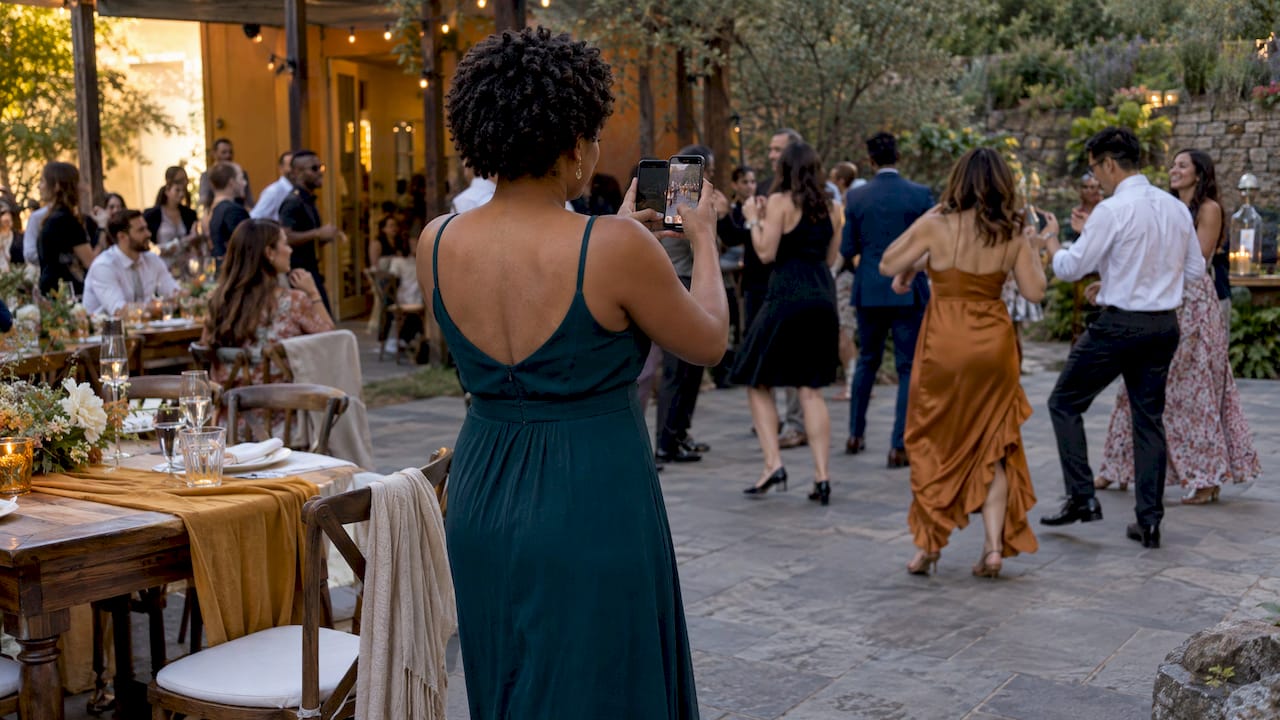
The simplest way to share event photos without an app is a QR code: guests scan it with the phone camera they already carry, take their shots, and every photo lands in one private album you control. No download, no account, no password to forget. That is how Memory Rolls Event Camera works, and it is built for weddings, corporate events, venues and brand activations where the goal is to get photos from everyone, not just the five guests who are happy to install something.
TL;DR
- Every extra step between a guest and the camera costs you photos. An app download is the biggest step, so removing it is the single best change you can make.
- With Event Camera, guests scan a QR code and shoot a limited number of photos from their own phones. No app and no account.
- Photos go into a private album you curate, so the whole group sees the best shots, not 900 near-duplicates.
- Pricing is per event, not a subscription: the first five seats are free, then you pay per seat, or let guests pay for their own.
- Photos are kept for 90 days, with bulk download, so plan to save your album soon after the event.
Table of Contents
- Why guests skip photo apps
- How no-app photo sharing works
- Why a limited number of shots makes better albums
- Wedding photo sharing without an app
- Corporate events, venues and brand activations
- What to look for in any no-app photo tool
- What it costs
- Setting up your first event
- Getting more guests to actually shoot
- Our perspective
- Try Event Camera at your next event
- FAQ
- Sources
Why guests skip photo apps
Picture the reception. It is 9 p.m., the DJ is loud, someone's phone is at 14% battery, and the couple's table card says "download our wedding app to share your photos." Most guests will nod and never do it.
App-based sharing asks for four things before a single photo is taken: finding the app in a store, waiting for the download, creating an account or verifying an email, and then joining the right album. Each step loses people. The ones you lose are often the guests who take the best candids: the cousin on the dance floor, the college friends at the back table, the grandparent who does not want another login.
Group chats are the usual fallback, and they have their own problems. Photos get buried under chatter, people who are not in the chat are left out, and nobody can find the one good shot of the first dance three days later. Social media hashtags leave your photos public, which many couples and almost every company would rather avoid.
What planners actually need is something with no friction for the guest and full control for the host. That is the whole idea behind no-app photo sharing.

How no-app photo sharing works
The mechanism is a QR code, a square barcode that a phone reads as a web link. Both major phone platforms read these natively: on an iPhone, you open the Camera app, point it at the code and tap the link that appears. Recent Android phones do the same from their camera. Your guests do not need to install a scanner or anything else.
Here is the flow with Event Camera:
- You create the event and get a QR code.
- You display the code at the event: on table cards, a sign at the entrance, a bar menu, a name badge.
- A guest scans it and gets a camera on their own phone, like a disposable camera with a fixed number of shots.
- They take photos (and short videos) from their own perspective.
- Everything is collected into a private album that you, the organizer, curate and share.
Because there is no sign-up, a guest goes from curious to shooting in a few seconds. For a closer look at the scanning step, see our guide on how scanning a QR code to upload photos works.
Why a limited number of shots makes better albums
It sounds backwards, but capping shots per guest is a feature. Unlimited uploads from a hundred people means thousands of blurry, duplicate frames and an album nobody wants to scroll. A fixed number of shots works like a roll of film: guests wait for the moment, frame it, and take it.
It also changes what you get. A disposable-camera feel produces candid, personal pictures: the hand-held view from table seven, the toast from the back, the reaction on the groom's brother's face. A professional photographer cannot be everywhere at once. A hundred guests with ten shots each can.
On Event Camera the organizer controls how many shots each guest gets, so you can tune it to the event. A three-hour wedding reception and a 30-person team dinner do not need the same number.

Wedding photo sharing without an app
The query couples type most is some version of wedding photo sharing without an app, and the reasons are practical.
- Your guest list is mixed. Grandparents, college friends and coworkers have very different comfort levels with technology. A scan-and-shoot flow works for all of them.
- You want the candids, not just posed shots. Guests capture moments that the photographer, who is following the schedule, will miss.
- You want privacy. A private album means your photos are not floating around a public hashtag.
- You want one place for everything. Instead of chasing photos from forty text threads after the honeymoon, you open a single album.
Where to put the QR code
Placement decides how many guests actually scan. The spots that work best are the ones guests already look at: the welcome sign, the cocktail hour bar, each table, the program, and the photo booth area. Add one short line telling people what to do, such as "Scan to take photos for the couple." We cover the details in our post on wedding QR code sign wording and placement, and our full walkthrough of wedding photo sharing without an app covers the setup.
A tip that costs nothing: ask the officiant or the DJ to mention the code once, right before cocktail hour. A single announcement noticeably beats a sign nobody reads.
Small and destination weddings
Smaller celebrations benefit too. With an intimate ceremony or elopement, there are only a handful of people, and every one of them is a witness whose view matters. A destination couple working with a specialist in Maui elopement planning will typically have a professional photographer for the portraits. Guest cameras add the loose, unposed side: the walk to the beach, the quiet moments before the vows. With groups of five or fewer, Event Camera is free.
Corporate events, venues and brand activations
The same logic carries beyond weddings, with different goals.
Corporate events and off-sites. Marketing teams want candid coverage that looks like people actually enjoying the day, and they want it without asking 200 attendees to create accounts on yet another platform. Because the album is curated by the organizer, you choose what is shared company-wide and what stays out. See how this fits off-sites and conferences.
Brand activations. When a brand wants content from the crowd, a customizable experience matters. Event Camera supports custom branding for organizers, so the camera your guests open carries your look. More on that in our guide to branded QR code photos, or go straight to brand activations.
Venues. A venue that offers a shared photo experience gives every client's guests something to remember the place by. Since pricing is per event and not a subscription, there is no monthly commitment to manage.
Student groups and clubs. Formals, mixers and Greek life events produce a lot of photos that nobody ever collects. A single QR code at the door solves it. Details are on our page for college events and Greek life.
Parties. Birthdays and family gatherings have the same problem at a smaller scale. Our post on getting photos from everyone at a party shows how.
What to look for in any no-app photo tool
Several kinds of tools now advertise "no app required," so that line alone does not tell you much. These are the questions that separate a good fit from a frustrating one:
| What to check | Why it matters | How Event Camera handles it |
|---|---|---|
| Guest sign-up | Any account or email step loses guests | No app download and no account |
| Shot limits | Keeps the album focused and candid | Organizer sets how many shots each guest gets |
| Curation | You do not want every blurry frame shared | Organizer selects the best shots for the shared album |
| Privacy | Weddings and company events should not be public | Private album with organizer controls |
| Branding | Matters for brand and corporate events | Customizable for organizers |
| Cost structure | Surprise subscriptions are a drag | Pay per event, no subscriptions |
| Who pays | Large guest lists can get expensive for the host | Host pays, or guests pay for their own seat |
| Storage and export | You want to keep the photos | Photos kept for 90 days, with bulk download |
The general rule: pick the option where the guest does the least and the host controls the most.
What it costs
Event Camera is priced per event, based on the number of participants (seats). There is no subscription. The first five seats are free, so you can try it with a small group, and the per-seat price falls as your guest list grows. The schedule on our pricing page is:
| Seats | One-off price per seat |
|---|---|
| 1 to 5 | Free |
| 6 to 25 | $1 |
| 26 to 100 | $0.40 |
| 101 to 250 | $0.30 |
| 251 and up | $0.20 |
There are two ways to change who pays. With guest codes, the host buys seats at $1 per seat. In a guest-paid event, each person pays $1.99 once for their own seat. Guest-paid is useful for club nights, fitness events and student groups where the organizer does not want to cover the cost. Check the pricing page for how seats are counted for your event size before you set up.
Setting up your first event
Here is a routine that works for most events.
- Decide the goal. Is this a keepsake album for the couple, content for marketing, or a memento for attendees? The answer sets your shot limit and who has access.
- Choose who pays. Host-paid keeps it free for guests. Guest-paid shifts the cost to attendees.
- Set the shots per guest. Fewer shots give a more intentional album. More shots suit a long event or a big venue.
- Add your branding if it is a company or brand event.
- Print or display the QR code in at least three places: entrance, tables or bar, and a spot guests linger.
- Announce it once at the start of the main social part of the night.
- Curate after the event. Pick the best shots for the shared album and download them in bulk.
- Save within 90 days. Photos are retained for 90 days, so download what you want to keep soon after the event.
For a deeper walkthrough, our guides to QR code photo sharing setup and the QR code photo album go through each step, and the post on private event photo sharing covers access control.
Getting more guests to actually shoot
A tool only works if people use it. A few habits make a real difference:
- Tell people why. "Help us see the night through your eyes" gets more scans than "scan here."
- Put the code at eye level and keep the sign short and legible.
- Make the first shot easy. Suggest a prompt, like a photo of the table or a toast, so nobody freezes.
- Lead by example. Ask the wedding party or the team leads to scan first, and others follow.
- Remind once, later. A mention from the host after dinner catches the guests who arrived after the first announcement.
- Tell people the album is private. Guests share more freely when they know the photos are not going on a public feed.
Our perspective
We built Event Camera around one belief: the best photos of an event are taken by the people at it, and the biggest obstacle to collecting them is asking those people to do homework first.
Every app download and every account form is a small tax on a guest's attention. At a wedding or a company party, attention is the one thing you cannot ask people to spare. So we removed the tax. A guest scans a code and has a camera. That is all.
The shot limit is just as deliberate. A disposable camera makes people look for the moment, and the organizer's curation means the album that comes back to the group is the best of it, not everything. And because organizers decide who pays, whether the host covers every seat or each guest buys their own, the event gets set up the way you want it, with no subscription waiting afterward.
Whether you are a couple, a planner, a venue or a brand team, our aim is the same: that you open one album and find the night as your guests saw it.
Uday
Try Event Camera at your next event
If you want guest photos with no app and no accounts, Event Camera gives each attendee a limited-shot camera through a QR code, collects everything in a private album, and lets you curate and download the results. The first five seats are free, and per-seat pricing follows the schedule above, with no monthly fees.

You can set up an event at memoryrolls.com and see the full seat pricing on the pricing page.
FAQ
Do guests really not need to download anything?
Correct. Guests scan the QR code with their phone's camera, and the camera opens for them to take photos. There is no app to install and no account to create. Phone cameras read QR codes natively, as Apple's own instructions for scanning a QR code show.
How many photos can each guest take?
That is up to you. Event Camera works like a disposable camera, so each guest gets a limited number of shots, and the organizer sets the number. Guests can also capture short videos.
Who sees the photos?
The album is private and the organizer curates it. You select the best shots and choose what gets shared with the group, so nothing goes public unless you decide it should.
How long are photos kept?
Photos are kept for 90 days. Within that window you can use the bulk download feature to save everything to your own storage, so it is worth doing soon after the event.
Can guests pay for their own access?
Yes. You can run a host-paid event, or set it as guest-paid, where each person pays $1.99 once for their own seat. Guest codes are another option, with the host buying seats at $1 each.