 Memory Rolls
Private Event Photo Sharing: How to Collect Every Guest's Shots
How to collect and share event photos privately: QR-code albums, consent, access control, storage and cost, for weddings, corporate events and venues.
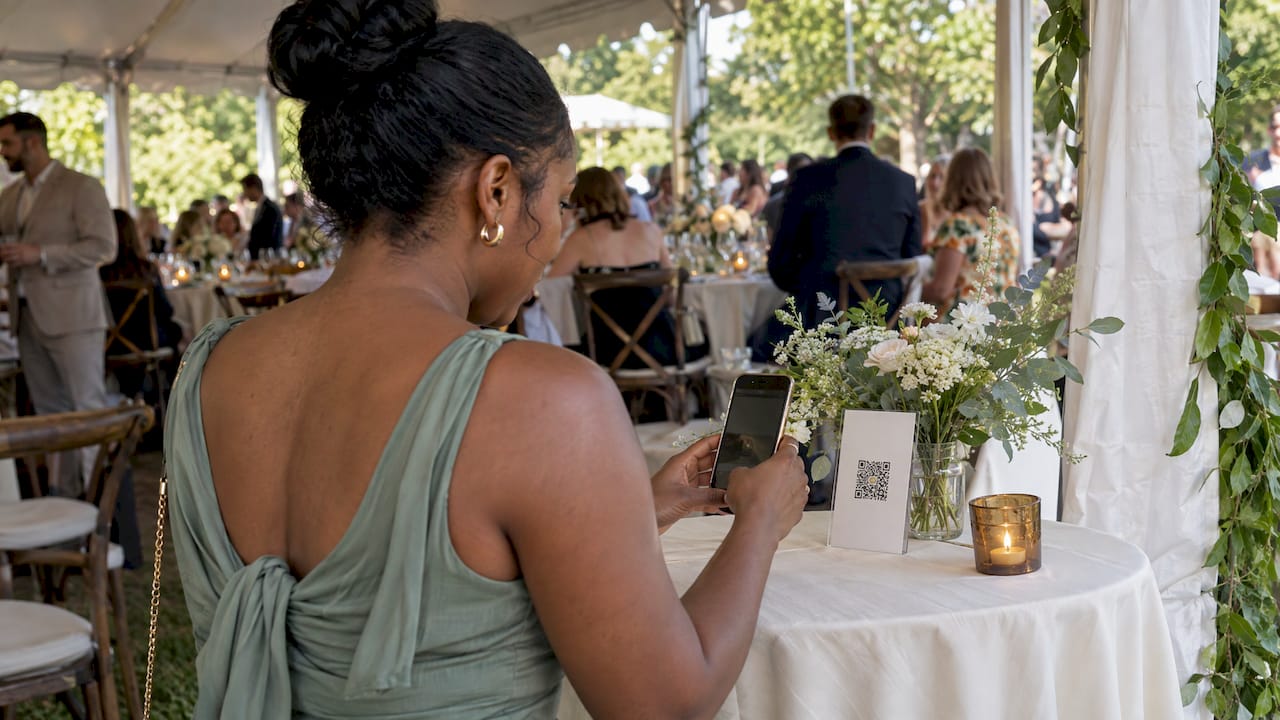
The simplest way to share event photos privately is to give every guest one QR code that opens a camera on their own phone, with no app and no account, and to have every shot land in a single album that only you control. That is how Event Camera works: guests scan, take a limited number of photos and short videos, and you pick what goes into the shared album. The rest of this guide covers what private photo sharing needs to get right before, during and after an event, for weddings, company events and venues.
TL;DR
- Group chats and loose links scatter photos, shrink quality and leave you with no control over who sees what. One QR-code album with one organizer in charge fixes all three.
- Guests will only take part if it takes seconds: scan, shoot, done. No app download, no sign-up.
- A limited number of shots per guest keeps the album focused, and curating before sharing keeps it private and flattering.
- Tell guests photos will be taken. For anything beyond a casual party, a short notice or release is the safer route.
- With Event Camera, the first five guests are free, then pricing is per seat, one-off, with photos kept for 90 days. Download what you want to keep inside that window.
Table of Contents
- What "private" should mean for event photos
- The main ways to share photos privately
- How a QR-code event camera works
- Consent and privacy: what organizers should do
- Access control and moderation
- Quality, video and how long photos stay
- Setting it up for your kind of event
- What it costs
- Before, during and after: a simple timeline
- Our view: why one organizer-curated album works
- Start your event camera
- FAQ
- Sources
What "private" should mean for event photos
Most people searching for private event photo sharing want the same four things. Only invited people should be able to add photos. Only people you choose should be able to see them. Photos should arrive at decent quality. And someone, usually you, should decide what gets shared more widely.
A public hashtag fails the first two. A group chat fails the third, because messaging apps often compress images. A shared cloud folder can work, but it asks every guest to sign in or install something, and most will not bother. A good private setup removes friction for guests and keeps the controls with the organizer.
The main ways to share photos privately
There are four approaches, and they trade effort against control.
Group chats and text threads. Fast, but they only reach people already in the thread. Photos get buried within hours, and anyone who is not in the chat misses out.
General-purpose cloud albums. These are fine among friends who already share a platform. At a wedding with 120 guests across every age group, they typically stall at the "please create an account" step.
Photographer galleries. Great for the professional's own work, but they do not capture what guests saw from their own seats.
QR-code event cameras. The guest scans a code printed on a table card, sign or program and a camera opens in the phone's browser. Everything goes into one private album tied to the event. This is the approach we built Event Camera around, and for gathering many perspectives in one place it is the one that holds up best, because it asks almost nothing of guests and gives the organizer the final say.
How a QR-code event camera works
The flow has three parts, and it is the same for a 30-person birthday and a 500-person conference.
- Set up the event. You create the event, choose how many shots each guest gets and, if you like, add your branding. You also decide who pays: you, as host, or the guests.
- Share the code. Print it on table cards, welcome signs, programs or name badges, or send it in an invite. Guests scan it with their phone camera.
- Collect and curate. Guests take photos and short videos within their limit, like a disposable camera, and everything is gathered in one private album. You select the best shots for the shared album everyone sees.
The shot limit is the part people underestimate. A disposable camera works because each frame counts. Guests choose their moments instead of firing off forty near-identical pictures, so you spend less time sorting and more time enjoying the good ones.
For a deeper look at the no-account approach, see our guide to collecting event photos without accounts.
Consent and privacy: what organizers should do
Private sharing is partly a technology question and partly a courtesy and legal one. This is general information, not legal advice. If your event involves minors, public figures, confidential attendees or commercial use of the images, ask your own attorney.
Tell people photos are being taken. For ticketed or public events, U.S. privacy law generally treats the setting as public, and attendees are considered to give implied consent to be photographed for non-commercial uses tied to the event. That article suggests communicating it with signage at registration, entrances and on digital tickets.
Know the conservative option. The Association of Corporate Counsel notes that the most conservative approach is a signed waiver or release. Ticket language or entryway notices, sometimes with an opt-out, are alternatives, and posted notices may not be enforceable in every jurisdiction. It also recommends reviewing photos for confidential attendees and thinking about publicity-rights risks involving public figures.
What that means in practice:
- For a wedding or private party, a line on the invitation or a table card saying guests will be sharing photos is usually enough socially.
- For a corporate event, add a notice on the registration page and at the door, and consider a release when photos may be used in marketing.
- For a venue, put the notice in the booking terms and on signage, so every host you work with inherits it.
Our own write-up on event photo consent in the US goes into the wording in more detail.
Access control and moderation
Privacy comes down to three decisions.
Who can contribute. With a QR code, anyone who can see the code can shoot. Print it only where your guests will see it: inside the venue, on the program, in the invite. Do not post it on public social channels.
Who can view. Because you curate, guests do not see every raw shot, only the album you share. That is how you quietly leave out the blurry frame, the unflattering angle or the moment a colleague would rather forget.
Who decides what leaves the album. Make that one person or a small team. At a corporate event it might be the communications lead. At a wedding, the couple or a trusted friend. For a deeper look at the safety side, read how to share event photos securely with your guests.
Quality, video and how long photos stay
Three practical questions are worth asking of any setup.
Image quality. Photos taken through a browser camera on a modern phone are plenty sharp for albums and sharing. The bigger quality killer is passing images through messaging apps afterwards, so download from the album rather than forwarding from a chat.
Video. Event Camera supports short videos as well as photos, which suits toasts, first dances and the reactions that stills miss.
Storage and access duration. Photos are retained for 90 days, and the platform supports bulk download. Plan to download your selected shots well within that window, then back them up to a drive or cloud storage you already use. Put a reminder in your calendar for the week after the event, while everyone is still talking about it.
Setting it up for your kind of event
Weddings
A wedding is the clearest case for guest perspectives. The photographer covers the planned shots. Guests catch the cousin laughing at the back table, the dance floor from the bar and the kids sneaking cake. Put the QR code on each table and in the program, and set a shot limit that encourages choosing moments. Afterward, merge the best of them into one keepsake album. We cover the details in our guides to wedding photo sharing without an app and building one album from all your guests' shots. The wedding page shows the QR code disposable camera for weddings.

Corporate events and conferences
Companies want candid coverage that feels real, without a staff member chasing attendees for pictures. A single album that spans every room helps, whether it is a keynote, a breakout or the after-party. Custom branding lets the camera carry your company's look. Plan for consent notices at registration and decide in advance who approves photos for internal or external use. See event photo sharing for off-sites and conferences and our guide to conference photo sharing for attendees.
Venues
A venue that offers guest photo sharing gives every host a reason to remember the space. Place the QR code on tables or entrance signage so it is part of the room, put photo notice language in your booking terms, and let each host control their own album. Because pricing is per event, a venue can pass the cost to the host or have guests pay, without taking on a subscription.
Brand activations
For activations, the camera can carry your branding, and the guest-generated shots become content from the actual crowd. Read more about a branded disposable camera for brand activations.
Entertainment-led events
Events built around a performance, like live fire dance performances, are exactly where guests reach for their phones. A shot limit helps here: it nudges people to pick the one dramatic moment and then put the phone down and watch.
Student groups and parties
For chapter events and informal parties, the same flow works. See our page on Event Camera for college events and Greek life and our guide to getting photos from everyone at a party.
What it costs
Price is the detail organizers most often compare, and per-seat pricing is easy to read once you see it. Event Camera has no subscription. You pay once per event, based on how many seats you set up.
| Seats | Price |
|---|---|
| 1–5 | Free |
| 6–25 | $1 per seat, one-off |
| 26–100 | 40¢ per seat, one-off |
| 101–250 | 30¢ per seat, one-off |
| 251 and up | 20¢ per seat, one-off |
| Guest codes | $1 per seat, one-off |
| Guest-paid event seat | $1.99 per person, one-off |
The price per seat falls as your headcount rises, so large events cost little per person. Two choices shape your bill:
- Host pays. You buy the seats, and guests never see a checkout. This suits weddings and corporate events where the experience should feel like a gift.
- Guest pays. Each guest pays $1.99 once for their own seat. This suits clubs, student groups and ticketed meetups where the host wants no cost.
Current figures are on the pricing page, where the total for your guest count is shown at checkout. When you compare any option, check the same four things: price per guest, whether guests need an app or account, how long photos are kept and whether you can curate before sharing.
Before, during and after: a simple timeline
Two weeks before. Create the event, set the shot limit, add branding and decide who pays. Draft your photo notice for the invitation, registration page or booking terms.
One week before. Print the QR code on table cards, signs or programs. Scan it yourself on an iPhone and an Android phone to confirm it opens the camera cleanly.
At the event. Mention the camera once from the microphone, if there is one, or have the MC or host do it. People scan when they are told what it is for and how little effort it takes. Place codes where guests wait: the bar, the seating chart, the buffet.
The next day. Review the photos while memories are fresh, select your favorites and share the curated album with guests.
Within 90 days. Bulk download everything you want to keep and store it somewhere permanent.

Our guide on how to share event photos privately after any event walks through the follow-up in more detail.
Our view: why one organizer-curated album works
We built Event Camera around a simple observation: guests have the best view of the party, but they have the least patience for technology. If a photo tool asks them to download an app or create an account, most skip it, and the moments they would have caught are gone.
So the camera lives behind a QR code, and the guest's only job is to scan and shoot. A limited number of shots, like a real disposable camera, makes each photo a choice. The organizer then curates, so the shared album is the best of the night and not a dump of everything.
We also think payment should match how the event works. Hosts can cover everyone, or guests can pay for their own seat. There is no subscription, because an event is a one-time thing and the price should be too.
Uday
Start your event camera
Event Camera gives you a private QR-code camera for your event, with no app or account for guests, custom branding, a shot limit you set and your choice of who pays. The first five guests are free, so you can try the whole flow before inviting everyone.

Set up your album on the Event Camera page or see per-seat prices on the pricing page.
FAQ
What is the best way to share photos privately from an event?
Use one QR code that opens a camera on each guest's phone and sends every shot to a single private album. Guests need no app or account, and you choose which photos go into the shared album. That keeps control with you while giving every guest an easy way to contribute.
Do I need guests' permission to share event photos?
In the U.S., attendees at ticketed or public events are generally treated as giving implied consent for non-commercial uses tied to the event, and clear notices help. The Association of Corporate Counsel calls a signed release the most conservative approach. For commercial use, or if you are unsure, speak with an attorney.
How long do guests have to upload and I have to download photos?
Photos are retained for 90 days. Download the ones you want to keep with the bulk download option well inside that window and store them somewhere permanent.
Can a venue offer guest photo sharing to every host?
Yes. Put the QR code on tables or signs, add a photo notice to your booking terms and let each host curate their own album. Pricing is per event, so the cost can sit with the host or with their guests.