 Memory Rolls
How to Collect Conference Photos From Every Attendee
Collect conference and corporate event photos in one private album: how to set it up, get attendees to contribute, handle consent, and download everything after.
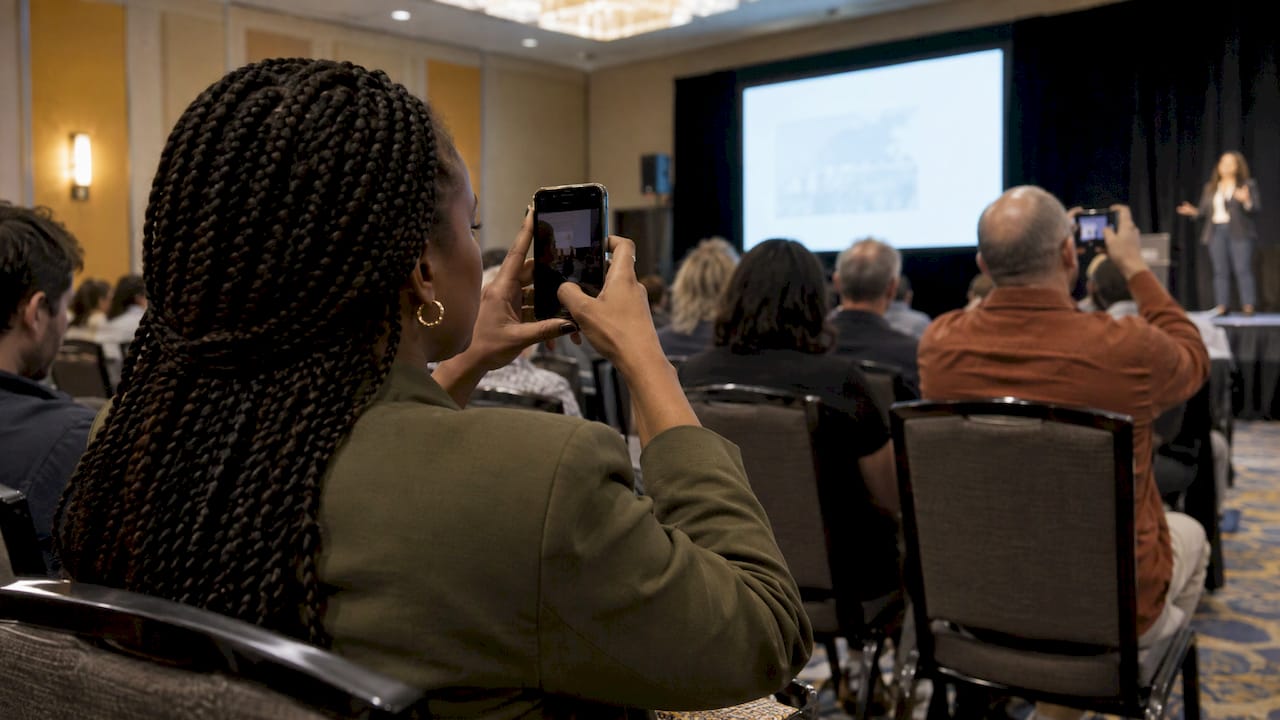
The most reliable way to collect conference photos is to give every attendee one scan-and-shoot link before the event starts, so every photo lands in a single private album you control. Attendees scan a QR code, shoot from their own phone, and you review the results afterward. With Memoryrolls' Event Camera, there is no app to download and no account to create, which removes the two biggest reasons people never send you their pictures.
TL;DR
- Photos scattered across group chats, email threads and camera rolls rarely come back. Pick one collection point before the event and tell everyone about it in advance.
- A QR code that opens a camera in the phone's browser works best for conferences, because attendees don't have to install anything or sign up.
- Limiting each guest to a set number of shots keeps the album reviewable and the shots deliberate. You choose the best ones to share.
- State photo consent on registration and on signage, and keep the album private until you have curated it.
- Download everything in bulk after the event. Event Camera keeps photos for 90 days, so plan your export inside that window.
Table of Contents
- Why conference photos are hard to collect
- The methods compared
- How to set up photo collection for a conference
- Why no app and no account matters at a conference
- Consent and privacy at corporate events
- What it costs
- Collecting corporate event photos beyond the conference
- Memoryrolls for conferences and off-sites
- Our perspective
- FAQ
- Sources
Why conference photos are hard to collect
A conference spreads people across keynotes, breakouts, hallways, sponsor booths and the evening reception. One hired photographer covers a fraction of that. The rest of the story sits on a few hundred phones.
The usual ways of gathering those pictures fail for predictable reasons:
- Email. Attendees forget, files are large, and you end up with a messy inbox of attachments.
- Group chats. Photos get compressed, buried under other messages, and only the people in that thread ever see them.
- Hashtags. They only capture what people choose to post publicly. The candid, off-stage shots rarely make it, and you have no way to download them in bulk.
- Shared drive folders. Many attendees will not request access, sign in, or work out where to upload.
Every extra step costs you contributions. The fix is to make contributing a single action at the moment people are holding the camera anyway.
The methods compared
There are four common ways planners collect photos from attendees. Here is how they compare for a conference or corporate event.
| Method | Effort for attendees | Completeness | Control for you |
|---|---|---|---|
| Email or group chat | Medium: attach and send | Low: few people follow through | Low: files scatter |
| Event hashtag | Low, but public | Low: only what people post | Low: no bulk export |
| Shared drive or cloud folder | High: access requests, sign-ins | Medium | Medium |
| QR code to a browser camera | Lowest: scan and shoot | High | High: private album, curation, bulk download |
The QR route wins because it lets the attendee do the least work while giving you the most control. That is the approach Event Camera is built around: each attendee gets a limited number of shots, like a disposable camera, and everything flows to one album.
How to set up photo collection for a conference
1. Decide what the album is for
Start with the use. Are the photos for a post-event recap email, the company intranet, social posts, sponsor reports, or next year's marketing? The answer sets how selective you need to be and what consent you need (more on that below). If the photos could be used in marketing, you want that stated up front.
2. Create the album and set the rules
Create the event on Event Camera and choose how many shots each guest gets. A small cap does two useful things: it makes people think about what they shoot, and it keeps the volume manageable for you. You can also brand the experience so it looks like part of your conference, not a third-party tool.
You also choose who pays. As the organizer you can cover every seat, or you can set it up so that guests pay for their own seat. That matters for corporate budgets, covered in the pricing section below.
3. Put the QR code where attendees already look
A QR code only works if people see it at the right moment. Good placements:
- The confirmation email and the event app or agenda page, a week before.
- The registration desk and badge holders, so it is in every hand on arrival.
- Slides between sessions, and the stage screen during breaks.
- Table tents at lunch and the reception.
- Sponsor booths and photo-friendly spots such as a branded wall.
Say what the code does in one line: "Scan to take photos for the shared conference album. No app, no sign-up." People scan when they know what happens next.
4. Give people a reason to shoot
A bare QR code gets scans from the already-enthusiastic. Prompts get everyone else. Ask attendees to capture the best question from a Q&A, a shot of their table, the booth they liked most, or a hallway moment with a colleague. Our guide to attendee engagement photos lists twelve ways to get guests shooting, and most work for a conference.
A few quick wins:
- Have the emcee announce the album after the opening session and again before the reception.
- Run a themed prompt per day, such as "favorite moment of day one".
- Put a prompt on the badge back or the program.
- Ask sponsors to point booth visitors to the code.
5. Review and curate during and after the event
Organizers choose which photos go into the shared album, so the final collection looks intentional instead of a dump. Do a first pass at the end of each day while the event is fresh, then a final pass the week after. Remove blurry duplicates, anything awkward, and anything you do not have consent to use. What remains is the set you share with attendees and use in recaps.
For a deeper look at how this works for multi-room events, read our guide to conference photo sharing for attendees.
6. Download and distribute
After curation, download the photos in bulk and share the album link with attendees in your thank-you email. Event Camera retains photos for 90 days, so schedule the export soon after the event. We cover the process in how to bulk download event photos, and the storage question in event photo storage.
Why no app and no account matters at a conference
Conference attendees are busy, switching between sessions and networking. Any task that requires a download, an email confirmation or a password gets postponed and then dropped. Scanning a code and tapping a shutter button takes seconds.
It also helps with the range of people in the room. Executives, interns, vendors and speakers all carry different phones and have different comfort levels with new tools. A browser-based camera with no sign-up gives every one of them the same easy path.
Consent and privacy at corporate events
Collecting photos means handling images of identifiable people, so set expectations before the event. This is general information, not legal advice; for your company's specific policy, talk to your legal counsel.
The Association of Corporate Counsel notes that the most conservative approach for company events is a signed publicity-rights waiver. It also lists practical alternatives: stating the photo release on tickets, posting conspicuous notices at entrances, and offering an opt-out, such as reporting a name at a table or emailing within two days. The same source points out that photographers hold the default copyright in their images, so if you hire one, arrange a work-made-for-hire assignment or license.
For ticketed events, one industry guide explains that attendees are generally treated as giving implied consent to being photographed for non-commercial event uses, which producers reinforce with signage at registration, at entrances and on digital tickets. Many events also offer a lanyard color or wristband for guests who prefer not to appear on camera.
A practical checklist for your conference:
- Add a photo notice to the registration terms or ticket.
- Post signs at entrances and at the registration desk.
- Offer a visible way to opt out, such as a lanyard color.
- Tell attendees where the album lives and who will see it.
- Keep the album private and curate before sharing.
The curation step is where Event Camera's privacy controls help: the album is private, and you decide what goes into the shared version. For more, see our guides on event photo consent in the US, sharing event photos securely and sharing event photos privately.
What it costs
Event Camera uses pay-per-event pricing based on the number of participants. There is no subscription and no monthly fee. The first five guests are free. After that, the one-off price per seat drops as attendance grows:
| Seats | Price per seat (one-off) |
|---|---|
| 1–5 | Free |
| 6–25 | $1 |
| 26–100 | $0.40 |
| 101–250 | $0.30 |
| 251 and up | $0.20 |
Two other options help with corporate budgets. Guest codes are $1 per seat. If you prefer that attendees cover their own cost, the guest-paid event seat is $1.99 per person. See the pricing page for the full details and to work out the total for your headcount.
Because pricing is per event, a one-day conference or a single off-site pays for exactly that event and nothing after it. The rates fall as headcount rises, so larger events are priced lower per person.

Collecting corporate event photos beyond the conference
The same setup works for any company gathering: off-sites, product launches, brand activations, award dinners, holiday parties and team retreats. The pattern is identical. Create an album, set the shot limit, brand it, place the QR code, curate, and download.

For internal events, candid pictures from attendees tend to feel more natural than posed shots, which makes them useful for newsletters and recruitment pages. For brand activations, a branded camera experience keeps your name in front of guests while they are taking photos. Our event user-generated content guide explains how to collect, curate and get consent when you plan to reuse guest photos publicly.
Memoryrolls for conferences and off-sites
For conferences and off-sites, Event Camera gives every attendee a disposable-style camera on their own phone. They scan a QR code, take a limited number of photos and short videos, and skip the app and the sign-up. You get one private album, custom branding, and the choice of who pays. You also get curation and bulk download, with photos kept for 90 days.
See how it works for your event on our corporate events page, or start from the Event Camera homepage.

Our perspective
We built Event Camera around one observation: people are happy to take photos, but they are not happy to do chores. Every step you ask an attendee to take between "I have a great shot" and "it is in the album" costs you contributions.
That is why we skipped the app and the account. A guest scans a code and shoots. The limited number of shots is deliberate too: it makes the photos feel like a disposable camera, where each frame counts, and it gives you a collection you can actually review.
For organizers, we think control matters as much as convenience. You decide how many shots each person gets, who pays, how the experience looks, and which photos make it into the shared album. Pricing is per event, with no subscription, so you pay for the gathering you are running and nothing else.
A conference is the kind of event where this shines: many rooms, many perspectives, and one team that needs to see all of it in one place.
Uday
FAQ
What is the easiest way to collect photos from conference attendees?
Give every attendee a QR code that opens a camera in their phone's browser, with no app or account required. All photos go to one private album that you control. Put the code on badges, slides and table tents so people see it at the moment they are taking pictures.
How do I get attendees to actually contribute?
Tell them before the event, repeat the call from the stage, and give them a prompt, such as the best moment of the day or their favorite booth. Keep the steps to a single scan. The fewer steps between a good shot and the album, the more photos you collect.
Do I need consent to collect and use attendee photos?
It is wise to set it up in advance. Common practice is to state the photo notice on tickets or registration, post signs at entrances, and offer an opt-out such as a lanyard color. If you plan to use photos in marketing, confirm your approach with your company's legal counsel.
How long are the photos available, and how do I download them?
Event Camera keeps photos for 90 days. Curate the album, then download the photos in bulk and share the album link with attendees. Plan the export soon after the event so nothing is missed.
How much does it cost to collect photos for a company event?
The first five guests are free, then pricing is per seat: $1 for seats 6–25, $0.40 for 26–100, $0.30 for 101–250 and $0.20 from seat 251. There is no subscription. Guests can also pay their own way with a guest-paid seat at $1.99 per person.
Sources
- Consent for Photos Taken at Company Event, Association of Corporate Counsel
- The Lens is Always On, Cater Event