 Memory Rolls
Disposable Camera Wedding Cost: What You'll Really Pay
What a disposable camera wedding really costs for an average guest list: cameras, developing, scans, shipping and a per-seat QR option, with worked examples.
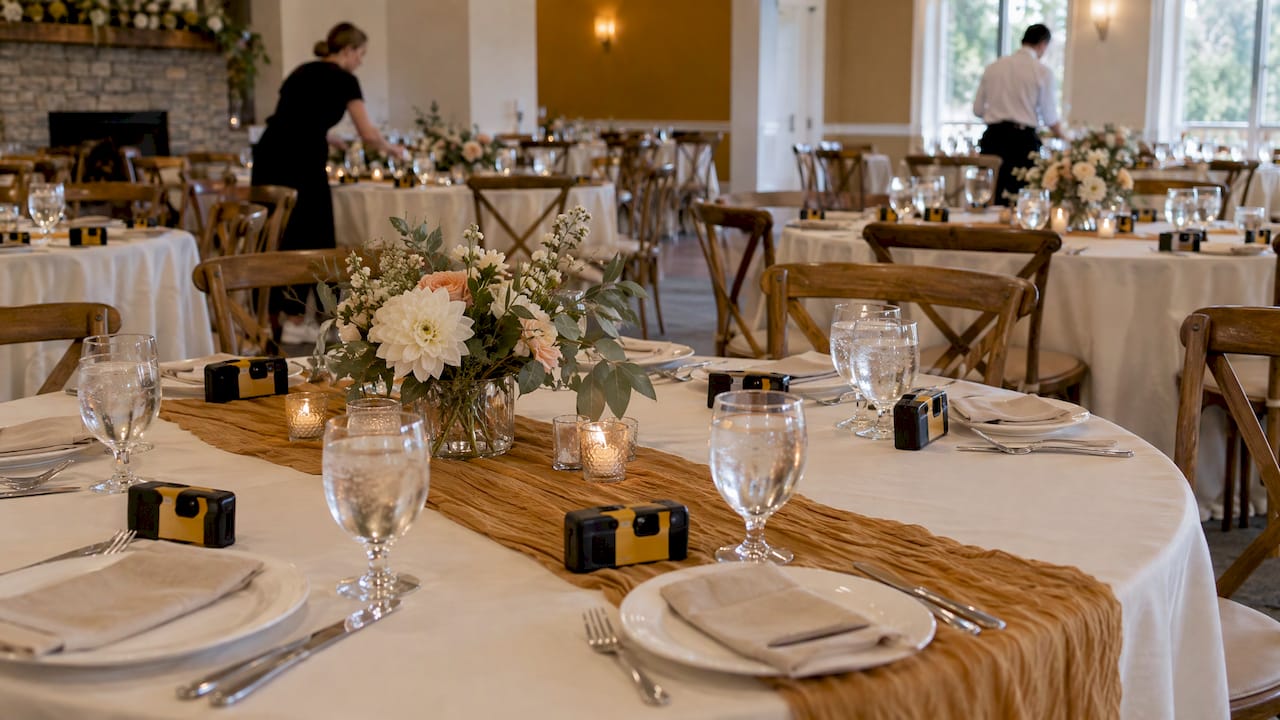
For a wedding with the average US guest count of 117, a phone-based disposable camera from Memoryrolls costs about $55 in total when the host pays, and nothing at all for the first five seats. Film cameras are priced differently: you pay for each camera, then pay again to develop and scan every one, and the photos arrive weeks after the wedding. Below is the full cost of both routes, with worked examples, so you can budget before you commit.
TL;DR
- The Knot's 2026 Real Weddings Study puts the average guest count at 117, so that is the number used for every example here.
- Film disposables cost money twice: once for the cameras, then for developing and scans, which start around $17 per camera at a mail-in lab, plus return shipping.
- Memoryrolls charges per seat, once per event: the first five seats are free, $1 per seat for seats 6 to 25, 40¢ for seats 26 to 100, and 30¢ for seats 101 to 250.
- With the tiers added up as listed, 117 seats come to $55.10. Guests need no app and no account, and photos are kept for 90 days.
- Guests can also pay for their own seat at $1.99 each, which brings the couple's cost to zero.
Table of Contents
- What a disposable camera wedding actually costs
- How many cameras you need
- The film route, line by line
- Timing is a cost too
- What a QR-code camera costs
- Side by side: 117 guests
- What you get for the price
- Budgeting tips for any guest-photo plan
- Where each approach fits
- Set it up for your wedding
- FAQ
- Sources
What a disposable camera wedding actually costs
The price on the shelf is only the first line of the budget. A film disposable has four cost layers, and couples who only price the first one tend to be surprised by the rest:
- The cameras. Single-use film cameras are sold individually or in multipacks. Common models use 35mm film at ISO 400 or ISO 800 and hold either 27 or 39 exposures, according to Digital Camera World's 2026 buying guide.
- Developing and scanning. The film has to be processed before anyone sees a single frame, and scans are a separate decision from prints.
- Shipping. Cameras go to a lab by mail, and the digital files come back online. Return shipping of prints or negatives is often billed per order.
- Your time. Someone has to collect the cameras at the end of the night, label them, pack them and mail them, usually while the couple is on a honeymoon.
A phone-based camera has one layer. You pay for seats, guests scan a QR code, and the photos land in a shared album.
How many cameras you need
The number of cameras drives the film budget more than any other choice. The Knot's 2026 Real Weddings Study, which surveyed 10,474 US couples married in 2025, reports an average guest count of 117.
Nobody needs a camera per guest, because couples and guests share. A common approach is one camera per table. As an illustration, if you seat guests at tables of ten, a 117-person wedding means about 12 cameras. At 27 exposures each, that is 324 frames in total, or under three shots per guest. At 39 exposures it is 468 frames, or four per guest. Because the cameras sit on tables, the frames also tend to cluster around dinner, when everyone is seated, rather than the dance floor.
That per-table logic is the main difference from a QR camera. When every guest holds their own camera on their phone, each person gets their own shot allowance, so you do not have to choose between a camera on every table and a budget.
The film route, line by line

Here is a realistic developing bill for those 12 cameras. The figures below come from one US mail-in lab's published price form, so treat them as a benchmark and check the lab's own page for current prices.
That lab lists developing and scanning for single-use cameras as Standard scans at $14, Enhanced at $16 and Super at $20, each plus a $3 single-use-camera surcharge. Return shipping is $6 by USPS First Class, $14 by Priority or $21 for two-day, charged per order. The lab's disposable camera page says service starts at $17.
| Scan level | Per camera (with surcharge) | 12 cameras | Plus cheapest return shipping |
|---|---|---|---|
| Standard | $17 | $204 | $210 |
| Enhanced | $19 | $228 | $234 |
| Super | $23 | $276 | $282 |
Those totals do not include the cameras. Camera prices vary by model, pack size and retailer, so add your own quote on top.
Why the scan level matters
Scan resolution decides what you can do with the pictures. The same lab describes its Standard scan as 1,024×1,536 pixels, Enhanced as 2,048×3,072 and Super as 4,492×6,774, with Standard suited to small prints and Enhanced to larger ones. If you want to post to social media or make a small album, Standard is enough. If you want to frame one favorite, you will want a higher tier, and the price rises accordingly.
Drugstore developing
Drugstore counters are cheaper per roll but slower. A 2026 price guide from a film-developing service reports $15.99 to $17.99 at CVS with 7 to 10 business days, $14.99 to $16.99 at Walgreens with 3 to 10 days depending on location, and $12.96 to $14.96 at Walmart with 7 to 10 days. The same guide says the scans included at drugstores are low resolution. Prices and turnaround vary by store, so confirm with your local counter.

For 12 cameras, that is roughly $156 to $216 before any upgrade to higher-resolution scans, and you would be dropping the cameras off yourself.
Timing is a cost too
The cameras cannot be developed until the wedding is over. Add collection, packing, shipping and lab queue, and the photos arrive well after the honeymoon. For a mail-in lab, the same product page quotes 2 to 4 days in the lab after receipt and 2 to 5 days for US mail transit, each way. Drugstores run longer, as the 7 to 10 business days above show.
That is why film suits couples who treat the photos as a keepsake to open weeks later. If you want guests to see and share moments while the weekend is still happening, the timeline matters more than the dollars.
What a QR-code camera costs
Memoryrolls works differently. Guests scan a QR code, take a limited number of photos and short videos from their own phone, and never download an app or create an account. You review everything in a private album and curate the shots that go to everyone.
Pricing is per event and based on the number of seats, with no subscription. The published pricing is:
| Seats | Price |
|---|---|
| 1 to 5 | Free |
| 6 to 25 | $1 per seat, one-off |
| 26 to 100 | 40¢ per seat, one-off |
| 101 to 250 | 30¢ per seat, one-off |
| 251 and up | 20¢ per seat, one-off |
| Guest codes | $1 per seat, one-off |
| Guest-paid seat | $1.99 per person, one-off |
Worked example: 117 guests, host pays
Adding the tiers as listed:
- Seats 1 to 5: free, so $0
- Seats 6 to 25: 20 seats at $1, so $20
- Seats 26 to 100: 75 seats at 40¢, so $30
- Seats 101 to 117: 17 seats at 30¢, so $5.10
The total is $55.10 for 117 seats. Compare that with a film setup of 12 cameras: the developing alone starts at $204 in the table above, before the cameras and shipping.
Worked example: a 60-person wedding
Five free seats, 20 seats at $1 ($20) and 35 seats at 40¢ ($14) come to $34. A 100-guest wedding comes to $50. A 250-guest wedding comes to $50 plus 150 seats at 30¢ ($45), or $95.
Letting guests pay
You can also set the event so each guest pays for their own seat at $1.99. That makes sense for a bachelorette weekend, a rehearsal dinner or a destination wedding where the couple is already covering a lot. You choose who pays, and you choose how many shots each guest gets. The detail is on the wedding page.
Side by side: 117 guests
| Film disposables (12 cameras) | QR-code camera, host pays | |
|---|---|---|
| Camera cost | Bought separately | None |
| Developing and scans | $204 to $276 at a mail-in lab | Included in seat price |
| Shipping | From $6 return, plus mailing the cameras | None |
| Photos per guest | Shared tables, about 3 to 4 frames each | Each guest has their own shot allowance |
| When you see photos | After lab turnaround and shipping | In the album after the event |
| Total, excluding cameras | From $210 | $55.10 |
What you get for the price
A budget comparison only works if you are comparing like for like. Here is what the seat price covers:
- No app and no account. Guests open the QR code in their phone browser and start shooting. That removes the biggest barrier at a wedding, where the grandparents' table will not install anything.
- A limited number of shots per guest. The limit keeps the disposable-camera feel: each shot counts, so people look for the moment rather than snapping fifty near-identical frames.
- Photos and short videos. Guests can capture a clip of the toast as well as a still.
- A curated, private album. You pick what goes into the shared album, which keeps the collection to the best shots.
- 90 days of storage and bulk download. You can save everything to your own device or cloud account within that window.
- Custom branding. You can dress the camera up for the wedding, which couples often use for names and a date.
For ideas on how couples use the album once it is full, see the guide on collecting photos from wedding guests, and for the shots worth asking guests to catch, the list of candid wedding photo ideas.
Budgeting tips for any guest-photo plan
Set the per-guest number first. Decide how many shots you want per guest, then work backward. With film you buy cameras to hit the total frames. With a QR camera you set the per-guest allowance in the event.
Count the photographer's role. A guest-photo option does not replace your photographer. It adds the angles a single photographer cannot cover at the same moment: the cocktail hour while the couple is taking portraits, the table next to the dance floor, the late-night crowd.
Plan the reveal. Decide whether guests see the album during the weekend or after. A shared album that is ready the next morning is something you can mention at brunch.
Brief guests simply. A small sign on each table with the QR code and one line of instructions is all most weddings need. If you want etiquette help for the day, the wedding photo etiquette guide covers how to ask guests to put phones away during the ceremony and bring them out afterward.
Check tiers before the headcount changes. Seats are priced per attendee at checkout, so a final headcount a week out is more useful than an early estimate.
Where each approach fits
Film disposables appeal to couples who love the look of grain and flash and are happy to wait. If that is you, budget for the full four layers above and keep the lab bill in mind.
A QR-code camera suits couples who want every guest involved, want the photos soon and want a predictable bill. It also works for the rest of the weekend: the rehearsal dinner, the welcome drinks and the morning-after brunch can run through the same camera. For other formats, the comparison of wedding photo booth alternatives and the article on table cameras versus a camera on guests' phones go deeper.
Our view on the cost
We built Event Camera around a simple idea: every guest sees the wedding from a different seat, and every guest should get to shoot it. A camera on each table gives you a handful of angles. A camera on each phone gives you all of them.
That is why we price per seat and per event. You pay once for the number of people attending, the price per seat drops as the guest list grows, and there are no subscriptions to cancel after the honeymoon. Nobody downloads an app or makes an account, which is how a seventy-year-old uncle ends up with the best photo of the night.
We also let you decide who pays. Some couples cover everyone. Others let guests pay for their own seat. Either way, you keep control of the album and choose which shots everyone sees.
Uday
Set it up for your wedding
If you want guests shooting from their own phones, with the first five seats free and a per-seat price that falls as the guest list grows, Event Camera is built for it. You choose who pays and how many shots each guest gets, and you can brand the camera for your day. See the wedding page for how it works, or check the seat pricing for your headcount.

Planning a corporate event, a campus group or a brand activation instead? The same camera runs there too, with pages for corporate events, campus groups and brand activations.
FAQ
Are disposable cameras expensive for a wedding?
Film disposables cost more than the sticker price suggests, because developing and scans are billed per camera. At one mail-in lab, that runs from $17 per camera before return shipping and the cost of the cameras. A QR-code camera for 117 guests comes to $55.10 when the host pays, based on the published seat tiers.
How many disposable cameras do I need for a wedding?
For film, a common rule is one camera per table, which is about 12 for a 117-guest wedding. For a QR-code camera you do not count cameras: you count seats, and each guest gets their own shot allowance.
How long does it take to get the photos back?
With film, the clock starts after the wedding. One mail-in lab quotes 2 to 4 days in the lab and 2 to 5 days of US mail transit, and drugstores can take 7 to 10 business days. With Event Camera, the photos go into your private album as guests take them.
Can guests pay for their own seat?
Yes. You can set the event so each guest pays $1.99 once for their seat, or you can cover everyone yourself. You also choose how many shots each guest gets.
How long are the photos kept?
Photos are kept for 90 days, and you can download them in bulk. Save them to your own storage within that window.
Sources
- The Knot 2026 Real Weddings Study data read-out
- Mail-in disposable camera developing: prices and turnaround
- Mail-in film developing price form, 2026
- Film developing cost guide 2026, drugstore prices
- The best disposable cameras in 2026, Digital Camera World