 Memory Rolls
Wedding Photo Scavenger Hunt: Prompts, Rules and Setup
Plan a wedding photo scavenger hunt guests actually finish: how many prompts to use, 30 ready prompts by moment, privacy tips and a no-app setup.
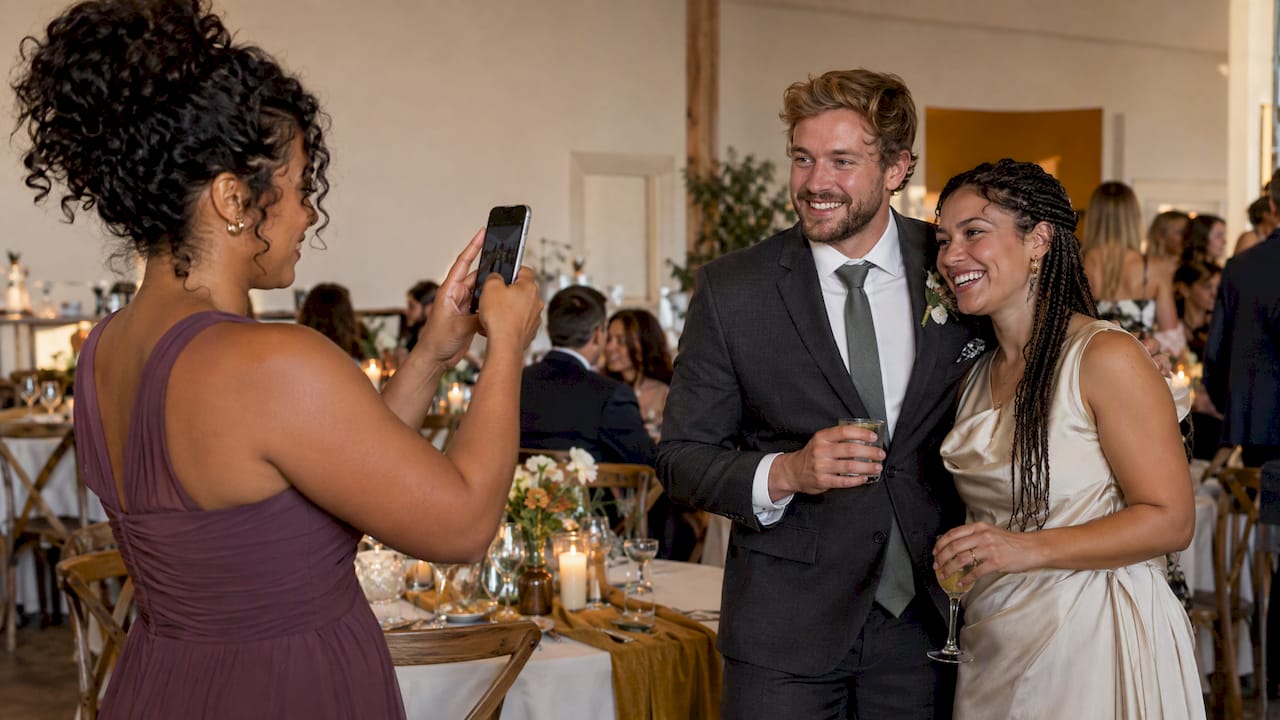
A wedding photo scavenger hunt is a short list of photo prompts that guests complete during the day, so you end up with candid shots from every corner of the room that your photographer could not be standing in. The version guests actually finish is short, easy to start (ideally one scan, no app) and tied to moments that really happen. Below you will find how many prompts to use, 30 prompts sorted by when they can happen, what to leave off the card, and how to collect everything into one album.
TL;DR
- Keep the list to roughly 12 to 20 prompts. Long lists stall by the second hour of the reception.
- Sort prompts by moment (arrival, ceremony, cocktail hour, reception) so guests can complete them without missing the vows.
- Use one collection method, one QR code, no app download and no account. Every extra step costs you photos.
- Cap shots per guest and curate the album afterward so the best images are what everyone sees.
- Tell guests photos will go into a shared gallery, and respect anyone who opts out.
Table of Contents
- What a wedding photo scavenger hunt is, and why couples run one
- How many prompts should you use?
- 30 prompts, sorted by when they can actually happen
- Prompts to leave off the card
- Do guests need an app?
- How to run it so guests finish
- Teams, tables and light competition
- Why a limited number of shots helps
- Photographing people well
- Privacy, consent and respect
- What we think about wedding photo scavenger hunts
- Running your hunt with Event Camera
- After the wedding: turning shots into one album
- FAQ
- Sources
What a wedding photo scavenger hunt is, and why couples run one
The idea is simple. You give guests a list of things to photograph: a table selfie, the best dance move, someone they just met. They snap the shots during the day and everything lands in one shared gallery.
There are two broad flavors. The first is the photo-based hunt, where the prompts are moments and the "prize" is the picture itself. The second is the item or clue-based hunt, where something physical is hidden around the venue and guests hunt for it. This article is about the first, because it produces the album you keep.
Why do couples like it?
- Coverage. A professional photographer is in one place at a time. Forty guests with phones are in forty places.
- Perspective. Guests notice what you will never see: your grandmother wiping a tear during the vows, your college friends losing it at the cake table.
- Mixing. Prompts like "a photo with someone from the other side of the family" quietly do the work of an icebreaker.
- Less phone chaos. A defined activity channels phone use into something purposeful instead of twelve people holding up screens during the processional.
It is not a replacement for a photographer. Think of it as the second layer: the formal and key moments from your pro, the in-between and sideways moments from your guests.
How many prompts should you use?
Fewer than you think. The pattern we see in every list that stalls is the same: the couple adds 40 or 50 ideas because each one is fun, and guests treat the whole thing as homework. A card of about 12 to 20 prompts is a good range for most weddings. It feels finishable, and it leaves room for guests to take their own photos that are not on the list at all.
A few ways to size it:
| Wedding style | Suggested prompts | Why |
|---|---|---|
| Small, under 50 guests, one location | 12 to 15 | Everyone knows each other, so prompts can be more personal |
| Mid-size, 50 to 150 guests | 15 to 20 | Enough variety for different age groups |
| Large, 150+ guests, multiple spaces | 15 to 20, with a few prompts tied to specific areas | Keep the list short and let the venue add variety |
| Multi-day (welcome party, wedding, brunch) | 8 to 10 per event | Fresh list each day beats one giant one |
If you want a larger pool, do not hand over all of it. Pick a core list and make a few "bonus" prompts that guests discover later, such as a note on the table at dessert.
30 prompts, sorted by when they can actually happen
The most common mistake is a prompt that cannot be completed when the guest reads it. "Capture the first dance" is useless on a card guests see at 3 p.m. Group your prompts by moment and you will get far more completed shots.
Arrival and pre-ceremony
- The best outfit you see (with permission)
- Someone you have not seen in years
- A detail of the venue you love: flowers, signage, a doorway
- Your plus-one looking dashing
- The guest who traveled farthest
Ceremony (reactions and side moments only)
Keep these quiet. Many couples ask for a phone-away ceremony; if you do, make these prompts "after the recessional" or hold them for the exit.
- A happy tear (after the ceremony, with consent)
- The reaction of the person next to you during the kiss
- The confetti, bubbles or petals moment on the way out
- A photo of the whole row you sat in
Cocktail hour
This is where the hunt really comes alive, because people are standing, mingling and holding drinks.
- A toast with someone you just met
- The best-looking appetizer
- A group of five or more laughing
- Two generations in one frame
- The couple through a doorway or window (from a distance, no interrupting portraits)
Reception
- A photo with everyone at your table
- The person giving the toast, mid-sentence
- The first dance from your seat
- Someone laughing so hard they cannot talk
- The cake, before it gets cut
- The best dance floor move
- A selfie with the DJ or band
- The bride or groom with a grandparent
- A friend pretending to catch the bouquet
- The craziest group shot you can organize
Late night and send-off
- Shoes off, dance floor still going
- A snack run at the late-night food station
- The sparkler or exit line
- The empty dance floor at the end, with just the lights
- One photo you want the couple to see first thing tomorrow
- A wish for the couple in your own words, on camera (a short video clip works well here)
You do not need all 30. Pick the ones that fit your day, then trim to your 12 to 20.
Prompts to leave off the card
A good list also knows what to skip:
- Anything embarrassing. "Someone drunk" or "the worst dancer" turns your guests into paparazzi and makes some people self-conscious. Aim for flattering and funny, not mean.
- Prompts that interrupt the ceremony. If a prompt requires moving around during vows, cut it.
- Prompts that single out one person. "The oldest guest" or "the shortest person" can land badly.
- Prompts about kids in close-up. Ask parents before photographing children up close, and keep these shots optional.
- Duplicate prompts. Three versions of "selfie with a stranger" is one too many.
- Anything requiring props you have not provided. If you want guests to pose with a sign, put the sign out.
Do guests need an app?
This is the question we hear most, and it is the one that decides whether your hunt works.
A wedding is a bad place to ask people to install something. Guests are dressed up, juggling drinks, and often on spotty venue Wi-Fi. Some will be on older phones, some will have no storage, and your older relatives may not want another account. Every step between "I'm interested" and "I took a photo" loses guests.
When you evaluate any hunt tool, check these things:
- Does a guest have to download an app? Fewer is better. A QR code that opens in the phone browser is the lowest-friction version.
- Do guests need to create an account or enter an email? If yes, expect a big drop-off.
- Can you limit shots per guest? A cap keeps people intentional and makes the album easier to curate.
- Who controls the album? You want to approve or select the best photos before the whole group sees them.
- How long do photos stay available, and can you bulk download them? Confirm the retention window and that you can export everything.
- Can it be branded? A custom name or look makes it feel like part of your wedding.
- What does it cost, and who pays? Some tools charge the host per event, others let guests pay.
If a tool fails the first two checks, it will fail at an actual reception.
How to run it so guests finish
The list is only half of it. The setup is where hunts succeed or die.
1. Choose one way to collect photos. If guests have to wonder whether to text, email, tag or upload, most will do nothing. One QR code, one destination. We cover the options in our guide to how to collect photos from wedding guests.
2. Put the instructions where people will see them. A small card at each place setting, a sign at the entrance and one at the bar. Wording matters; see our notes on QR code sign wording and placement.
3. Announce it early. Have the MC mention it in the welcome or at the start of cocktail hour, not at 10 p.m. when half the room is on the dance floor.
4. Include easy wins. The first two or three prompts should take 10 seconds, like a table selfie. Early momentum matters.
5. Make progress visible. If your tool allows it, a screen showing recent uploads or a running tally encourages people to keep going. If not, a simple announcement mid-reception works.
6. Fit it into the schedule. Do not make guests choose between the hunt and the toasts. Prompts for ceremony and speeches should be about reactions that happen anyway.
7. Offer a light incentive. A small prize for the table with the most completed prompts, or a simple shout-out, does a lot. It does not need to be big.
8. Remind once more. Place a short reminder on the dessert table or in the late-night snack area.
For a full checklist on the technical side, our QR code camera setup checklist walks through it step by step.

Teams, tables and light competition
You can run the hunt individually or by table. Tables work well for larger weddings because it gives strangers a reason to talk. Seat guests so each table has a mix of ages and sides of the family, and the prompts like "a photo of your whole table" or "a toast with another table" create natural introductions.
A few tips:
- Keep scoring simple. Count completed prompts or give a point per approved photo.
- Do not make it an actual contest unless you want one. Many couples prefer "no winners, just photos."
- Let guests who are not into it opt out without pressure.
Why a limited number of shots helps
It sounds counterintuitive: you want more photos, so why cap them? In practice, a cap changes behavior in a good way. Guests think before they shoot, which means fewer 40-photo bursts of the same cake. It mirrors the feel of a real disposable camera, where each frame counts. And it makes your later curation job manageable, since you are going through a set of intentional shots rather than thousands of near-duplicates.
If you want guests to have room to be creative, set the cap above the number of prompts. For example, with 15 prompts, let each guest take a few more shots than that so they can capture things you did not anticipate.
Photographing people well
A scavenger hunt turns every guest into a candid photographer, and most have never thought about how to make someone look good. Give them a few simple tips on the card or in your welcome sign: shoot from slightly above eye level, step in close, keep your thumb out of the frame, and avoid pointing the camera straight up at someone's chin. For candid shots with more structure, poses for portraits covers standing, seated and close-up ideas that guests can borrow for group and table photos.

Privacy, consent and respect
A hunt creates a lot of photos of a lot of people, so set some ground rules.
- Honor opt-outs. If a guest asks not to be photographed, that is the end of it. Tell your wedding party and family so they can help.
- Ask before photographing children up close. Parents should always have the final say.
- Skip no-flash zones. During the ceremony, ask guests to stay seated and shoot without flash so they do not block your photographer or distract the room.
- Say how photos will be used. Let guests know the photos will go into a shared gallery, a slideshow or a thank-you recap. Telling attendees about photography in advance is standard guidance in event settings, for example George Washington University's privacy guidance for university events, which also notes that releases may be needed when identifiable images are published outside the institution or when photos feature minors in small groups. A private wedding is a different setting, but the principle of telling people up front carries over.
- Keep the album private. A private link or QR-gated gallery is better than a public hashtag, particularly if you have guests who prefer to stay off social media.
What we think about wedding photo scavenger hunts
We built Memoryrolls around a simple observation: guests will take photos at your wedding whether you plan for it or not. The only question is whether those photos end up scattered across 60 camera rolls or in one album you can actually use.
So here is our point of view. The best scavenger hunt is the one with the least friction. We designed our Event Camera so guests scan a QR code and start shooting, with no app and no account. That choice is deliberate. Every barrier we remove is a guest who contributes, and the quiet cousin who would never download anything is often the one who captures the best moment of the night.
We also think the limit is a feature. A fixed number of shots per guest keeps the experience closer to a disposable camera, which is the feeling couples tell us they want. Then you, as the organizer, curate: pick the best shots and share the album with everyone. A hunt without curation is just a camera roll dump.
Finally, we think who pays should be your call. You can cover everyone, or you can let guests cover their own seat. Neither is wrong, and the pricing is per event, with no subscription, because a wedding happens once.
— Uday
Running your hunt with Event Camera
You can run any of the prompts above through Event Camera for weddings. Guests scan a QR code, take a limited number of photos and short videos from their own phones, and everything goes into a private album that you curate. You can brand it for your wedding, and photos are kept for 90 days with bulk download available.

Pricing is per event and based on the number of seats, as published on our pricing page:
| Seats | Price |
|---|---|
| 1 to 5 | Free |
| 6 to 25 | $1 per seat, one-off |
| 26 to 100 | 40¢ per seat, one-off |
| 101 to 250 | 30¢ per seat, one-off |
| 251 and up | 20¢ per seat, one-off |
If you would rather guests cover their own way, a guest-paid seat is $1.99 per person, one-off, and guest codes are $1 per seat, one-off. There is no monthly fee. If you are weighing options, our photo booth alternatives guide and comparison page lay out how the approaches differ.
After the wedding: turning shots into one album
The hunt does not end when the music stops. Plan for the afterward:
- Review within the first week. Memories are freshest, and you will remember context for each photo.
- Curate. Pick the standouts, remove duplicates and anything unflattering. Having a limit on shots per guest makes this faster.
- Download. Because storage is short-term, export a full copy of the album well before the retention window closes. With Event Camera, that window is 90 days.
- Share. Send guests the curated album and a thank-you note. A slideshow at a post-wedding brunch or a first-anniversary party is a nice touch.
- Merge. If you also have photos from your photographer and guests who shot on their own phones, combine them. Our guide on making one album from all wedding guest photos shows how.
If you are running the hunt across the whole weekend, the same approach works for a rehearsal dinner or bachelorette weekend, where you can reuse the setup with a different prompt list.
FAQ
How many prompts should a wedding photo scavenger hunt have?
Aim for roughly 12 to 20. That is enough variety to keep things interesting and short enough that guests can finish without missing the actual wedding. If you have more ideas, save them for a bonus list or a second event, like the welcome party.
Do guests need to download an app?
They should not have to. The easiest setup is a QR code that opens in the phone's browser, so guests can start shooting right away. With Event Camera, there is no app download and no account required.
When should I announce the scavenger hunt?
Early. Mention it at the welcome or the start of cocktail hour, and put a small card or sign at each table and near the bar. Guests who hear about it late will skip it.
Can I run one if my ceremony is phone-free?
Yes. Keep ceremony prompts for after the recessional, and start the hunt at cocktail hour. Many couples ask for an unplugged ceremony and then open the hunt right afterward.
What if a guest does not want to be photographed?
Honor it, and tell your wedding party so they can help. Keep the album private, tell guests how photos will be used, and let people opt out of the hunt without any pressure.
Sources
- Privacy Guidance for Photo/Video Recordings of University-Sponsored Events, George Washington University
- Poses for Portraits: Standing, Seated and Close-Up Ideas