 Memory Rolls
How to Share Event Photos Securely With Your Guests
Share event photos securely: how private albums, access controls, metadata, consent and retention work, and how to share without social media or app downloads.
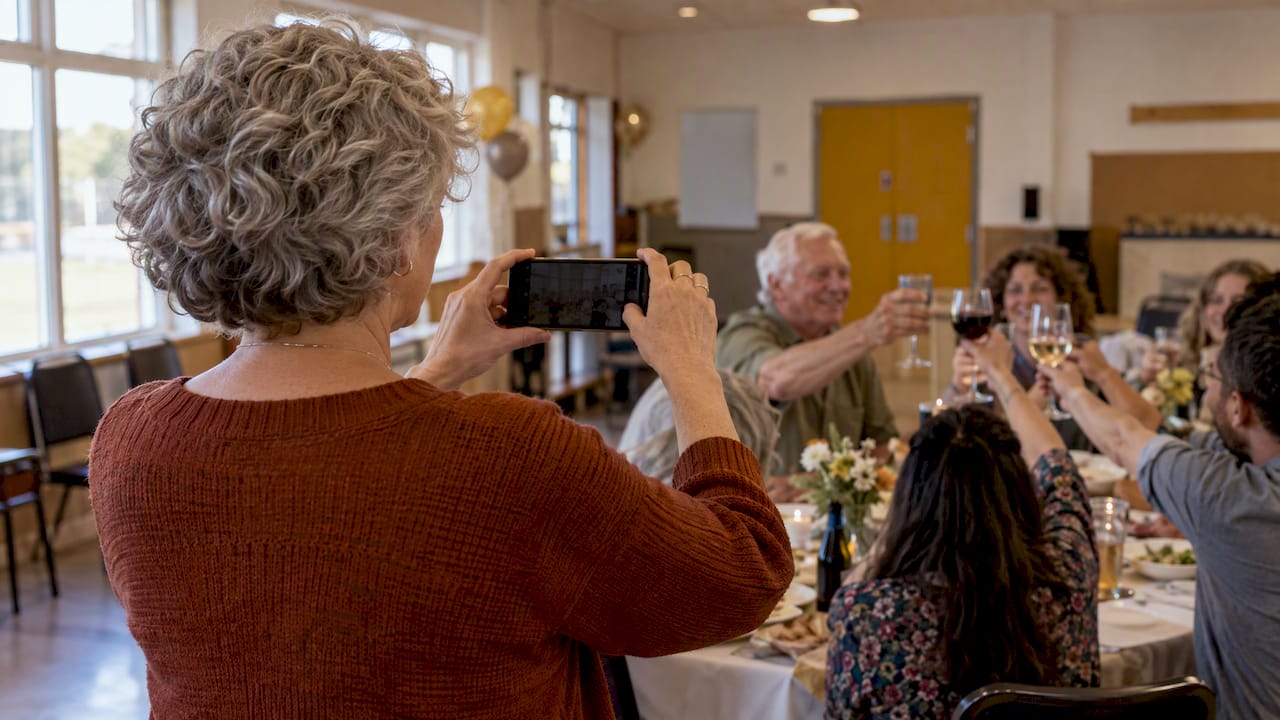
To share event photos securely, keep them out of public feeds and group chats. Collect them in one private album that only the organizer controls, limit who can add photos, strip location data before anything is published, and set a clear end date for how long the photos stay online. Do that and you can share without social media and without handing every guest's pictures to people who were never at the event.
This guide walks through each step, what encryption does and does not protect, and how a QR-code camera like ours fits the job.
TL;DR
- Public posts are hard to take back. Federal guidance says to assume anyone can see, save and forward what you post, so a private album beats a social feed.
- Control two things: who can upload and who can view. Link-only access, curation by the organizer and a limit on shots per guest all reduce the risk.
- Encryption protects photos in transit, not metadata, devices or poorly protected storage. Ask where files live and for how long.
- Get permission before publishing people's photos, and take extra care with children's images.
- Set an expiry. Our albums keep photos for 90 days, long enough to download everything in bulk.
Table of Contents
- Why social media is the wrong place for event photos
- What "secure" means for a shared photo album
- Controlling who can view and who can upload
- Share event photos without social media
- What encryption protects, and what it does not
- Strip location data before photos go public
- Privacy settings to check in any shared album
- Consent, children and removal requests
- Secure photo sharing by event type
- Perspective
- Using Event Camera for a private guest album
- Frequently asked questions
- Sources
Why social media is the wrong place for event photos
A wedding, a company offsite or a birthday produces hundreds of photos of people who never agreed to be on a public timeline. The Cybersecurity and Infrastructure Security Agency (CISA) is blunt about the risk: online posts may remain permanently, and users should assume anyone can see, save and forward what they post. The same guide notes that privacy settings cannot completely control who sees posted information.
That is the core problem with tagging, public hashtags and open group chats. Once a photo leaves the circle you intended, you cannot call it back. A private, organizer-controlled album avoids the issue by design: photos go to one place, and the organizer decides what is shared and with whom.
It also solves a practical problem. Photos scattered across guests' camera rolls, messaging threads and social accounts are the hardest to protect and the hardest to collect. Our guides on getting photos from everyone at a party and collecting photos from wedding guests cover that side in more detail.

What "secure" means for a shared photo album
Security is not one switch. Think of it as five questions you can ask about any way of sharing:
- Who can upload? Anyone with a link, only people with a code, or only people who have an account?
- Who can view? Everyone who uploaded, only the organizer, or a curated selection?
- What travels with the photo? Location and device details can sit inside the file.
- Where is it stored, and for how long? Open-ended storage is open-ended exposure.
- Can you remove it? You should be able to delete photos and, eventually, the whole album.
A tool that answers all five clearly is safer than one that advertises a single feature such as a lock icon.
Controlling who can view and who can upload
Password protection and private links are common ways to limit access. A password gates viewing: someone with the link but not the password sees a prompt and no photos. A private link alone works like a house key left under a mat that only invited guests know about. It is fine until the link is forwarded.
Whatever mechanism you use, apply these habits:
- Share the entry point only where guests will see it. A QR code on a table card, a program or a welcome sign reaches the people in the room. Posting the same code on a public page does not.
- Separate uploading from viewing. Guests who contribute photos do not automatically need to browse everyone else's. Letting the organizer review first keeps unflattering or sensitive shots from circulating.
- Cap the volume. Limiting how many photos each guest can take keeps the album manageable and reviewable. It also nudges guests to shoot moments rather than burst through hundreds of frames.
- Avoid reusing a link. Create a fresh album per event so one forwarded link never opens last year's party.
How our Event Camera handles access
Guests scan a QR code and take their photos and short videos from their own phones. There is no app to download and no account to create, which means we do not ask guests to hand over an email address or password just to contribute. Each guest gets a limited number of shots, and everything lands in a private album that the organizer curates. The organizer chooses the best shots to share back with attendees, so nothing goes out to the group that the host has not seen first.
That design gives you three practical controls: a limit on shots per guest, a private collection point and a curation step before sharing.

Share event photos without social media
Guests do not need Instagram, a group chat or a cloud drive to swap photos. The no-social-media options fall into a few types:
| Method | Privacy strengths | Where it falls short |
|---|---|---|
| Group chat | Limited to members | Photos are compressed, buried in conversation and saved to everyone's phone with no central control |
| Shared cloud folder | Access can be limited by invitation | Guests often need accounts, and folders can be forwarded or left open indefinitely |
| Email or file-transfer links | Direct and simple | Awkward past a handful of photos, and links circulate |
| Private QR-code album | One entry point, no accounts, organizer curates | Works best when the code is placed where guests will actually see it |
A QR-code album fits events where you cannot ask 80 guests to install something. It also fits events where you would rather not ask guests to link their social profiles to a stranger's photo pool. If cost is a concern, our overview of free event photo sharing explains where free options work and where they stop, and our piece on temporary photo sharing covers albums meant to expire.
What encryption protects, and what it does not
Encrypted photo sharing sounds like the ultimate answer, so it helps to know its limits. According to an IEEE explainer, end-to-end encryption protects the content of communication from being read or tampered with in transfer, but it does not protect metadata such as sender and recipient details or timestamps. TechTarget adds that it does not cover compromised devices or vulnerable intermediary storage.
In plain terms, an encrypted transfer will not help if:
- A guest's phone is lost or shared with a stranger.
- A guest forwards the photo after receiving it.
- The album sits for years on a server with weak controls.
The National Institute of Standards and Technology (NIST) makes a related point for file exchange. Its bulletin says secure solutions should protect confidentiality and integrity in transit and, when a third party stores the files, while stored there. It also warns that third-party servers may access or retain copies.
So when you evaluate a tool, "encrypted" is the start of the conversation, not the end. Ask what happens to photos after the event, who can retrieve them and when they are removed. We do not ask you to take a security claim on faith: the simplest protection is a short storage period, which is why we keep photos for 90 days and give organizers bulk download to take their own copies.
Strip location data before photos go public
Every photo can carry hidden details: where it was taken, when and on what device. Guidance published by the U.S. intelligence community's counterintelligence center recommends removing EXIF and location data from photos before sharing them online to avoid revealing private locations or identifying information.
This matters for events more than most people expect. A photo from a private home wedding, a school fundraiser or a company retreat can reveal an address. If you plan to share any images beyond the guest list, such as on a website or in a press kit:
- Export copies of the chosen photos rather than sharing the originals.
- Remove location and metadata from those copies using your phone's sharing options or a metadata cleaner.
- Check one finished file before sending the batch.
Keeping the broader album private and publishing only a short, scrubbed selection is the safest pattern.
Privacy settings to check in any shared album
Before you pick a tool, run this checklist. It works for ours and for anything else you consider.
- Default visibility. Is a new album private from the start, or do you have to lock it down?
- Entry method. Does a guest need an account? Fewer accounts means less personal data collected, but you still want to know how the entry point is protected.
- Curation. Can the organizer review before anything is visible to the group?
- Download and deletion. Can you take everything out in one step, and can photos be removed?
- Retention. How long are photos kept, and is the period stated?
- Branding and sharing. If you add branded frames or messages, are you adding any guest data to them?
If the answer to any of these is vague, treat that as a signal to ask before the event, not after.
Consent, children and removal requests
Secure sharing is also about respect. CISA advises getting permission before sharing photos or videos of others online, noting that doing so without it can be embarrassing, unfair and unsafe. For organizers, that translates into a few small habits:
- Put a line on the invitation or the table card saying photos will be collected in a private album.
- Make it easy for a guest to say "please don't share that one," and honor it.
- Decide in advance who has the right to publish anything beyond the album.
Privacy-conscious booking and scheduling systems face the same permission questions, and a guide on data privacy in bookings shows how clear rules about consent and access make everyday data handling easier for everyone involved.
Photos of children
If kids will be at your event, such as a baby shower, a family reunion or a school fundraiser, be extra careful. The Federal Trade Commission explains that services covered by COPPA must notify parents and get approval before collecting a child's personal information, including photos and videos. Parents can also review what was collected and withdraw consent, which obliges the service to delete the data. COPPA applies to online services directed at children or that knowingly collect data from them, so if children will be the main contributors, read that FTC page and ask your provider how it handles parental consent. For events where parents hold the phones, such as a baby shower, a private album that adults control keeps decisions where they belong.
Retention and removal
Photos you no longer need are photos that can leak. Decide on an end date before the event and tell guests. A reasonable pattern:
- Week of the event: guests contribute, the organizer reviews.
- Within two weeks: the organizer shares the curated selection and downloads the full set.
- At the end of the retention window: the album is gone, and any copies live only where the organizer put them.
Secure photo sharing by event type
Weddings. The guest count is high, ages vary and many guests will not install anything. A QR code at each table and a clear note on the program is usually all it takes. See how to build one album from everyone's shots and our wedding camera page.
Corporate events and conferences. You may have clients, speakers and staff in frame, and your company may have rules about what can be published. Curation before sharing is the key control. Our guide to conference photo sharing shows one album across many rooms.
Restaurants and private dining. Guests in a private room expect discretion. A guest camera for private events lets the host collect shots without anyone posting the room publicly.
Campus groups and Greek life. Membership lists, chapter events and student privacy call for caution. See Event Camera for college events for how guests can contribute without creating accounts.
Perspective
We built Event Camera because most photo-sharing setups ask guests to do too much: download an app, sign up, remember a password, then hope the host keeps the folder private. Every extra step costs participation, and every extra account is another place personal details can end up.
Our view is that the most secure event album is the simplest one. A guest scans a code, takes a limited number of shots, and is done. The organizer, not the crowd, decides which photos go back out to attendees. Nothing is posted to a public feed, and nobody is asked to hand over an email address to contribute.
We also think albums should end. Keeping photos for 90 days with bulk download gives hosts time to collect what they need without leaving memories sitting online forever. Pricing follows the same logic: you pay per event, not per month, and you choose whether the host or the guests cover the cost.
Uday
Using Event Camera for a private guest album
If you want a private, no-app way to gather guest photos, Event Camera is built for it. Guests scan a QR code, shoot a limited number of photos and short videos from their own phones, and the organizer curates everything in one private album. You can customize it with your branding and choose whether the host or each guest pays.

Pricing is per event and based on the number of participants. The first five guests are free. After that, published one-off rates per seat are $1 for seats 6 to 25, 40¢ for seats 26 to 100, 30¢ for seats 101 to 250 and 20¢ from seat 251 up. Guest codes cost $1 per seat, and a guest-paid seat is $1.99 per person. There are no subscriptions. Check the pricing page for the current rates before you set up your event.
Frequently asked questions
Is a private link enough to keep event photos safe?
A private link keeps strangers out as long as it stays within your guest list. It does not stop a guest from forwarding it or saving and reposting photos. For stronger control, limit how long the album exists, review photos before sharing them back and ask guests to check with each other before posting people publicly.
Can guests share photos without social media or an app?
Yes. With a QR-code camera, guests scan a code and take photos in their phone's browser, with no download and no account. The organizer then collects everything in one private album and decides what goes back to the group. That keeps photos off public feeds and out of overloaded group chats.
Does encrypted photo sharing make my event photos private?
Encryption protects photos while they travel between devices, but not metadata, lost phones or a copy a guest forwards later. It also does not cover how long a service stores files. Combine encryption with short retention, limited access and an organizer who curates what is shared.
How long should I keep event photos online?
Keep them only as long as you need to review, share and download them. Our albums are kept for 90 days, and organizers can download everything in bulk. After you have saved your copies, there is little reason for the full set to remain online.
Do I need permission to share photos of guests?
It is good practice, and federal guidance says to get permission before posting photos or videos of other people. Tell guests up front that photos go into a private album, honor requests to leave a photo out, and take extra care with images of children.
Sources
- CISA, Heads Up Guide
- IEEE Transmitter, What is end-to-end encryption? 7 questions answered
- TechTarget, end-to-end encryption (E2EE)
- NIST, ITL Bulletin, August 2020
- Identity Awareness, Protection, and Management Guide, March 2021
- FTC, Protecting Your Child's Privacy Online