 Memory Rolls
QR Code Photo Album: How to Collect Every Guest's Photos
Set up a QR code photo album for your event: how it works, which method fits, how to keep guests safe from fake codes, and what it costs per guest.
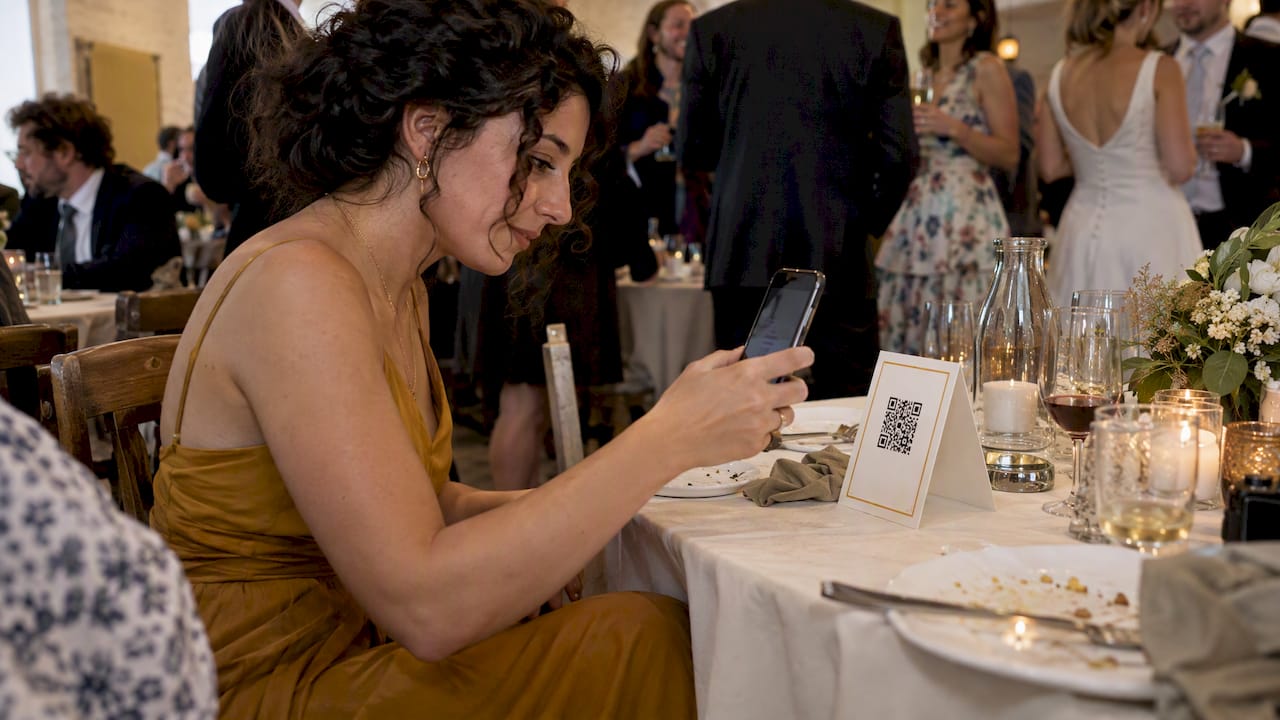
A QR code photo album is a shared gallery that guests reach by scanning a printed or displayed code with their phone camera. They take or upload photos, and everything lands in one place you control. You can build one with a general cloud album, a link you turn into a code, or a purpose-built event camera. The right choice depends on how many guests you have, whether they will install anything, and how much curating you want to do afterward.
We built Event Camera for the last of those cases, so we will be upfront about where it fits and where a simpler method is enough.
TL;DR
- A QR code is only a doorway. What matters is what sits behind it: an album guests can add to, an album they can only view, or a limited-shot camera.
- Free cloud albums work well for small groups of people who already use the same photo app. They get awkward when guests need accounts or when you want to hide the bad shots.
- A disposable-camera style album gives every guest a fixed number of shots, no app and no account, and lets the organizer pick what everyone sees.
- Treat the code itself with care: print it yourself, put it where you can watch it, and tell guests what the web address should look like.
- With Event Camera, groups of up to five are free, then pricing runs per seat, from $1 down to 20¢ as headcount grows.
Table of Contents
- Three things a QR code photo album can mean
- How the QR code photo album method works step by step
- Option 1: a shared album in your phone's photo app
- Option 2: a dedicated upload page
- Option 3: a QR code disposable camera
- Match the method to your event
- Keeping QR codes safe at your event
- What it costs per guest
- Our perspective: the code is the easy part
- Try it at your next event
- Tips for a better album
- FAQ
- Sources
Three things a QR code photo album can mean
People searching this phrase usually want one of three things, and mixing them up leads to the wrong tool.
1. A code that opens a finished album. You already have the photos, perhaps from a photographer, and you want guests to view or download them. Any cloud gallery with a shareable link works. You turn the link into a code and put it on a thank-you card or a slideshow.
2. A code that lets guests upload. Guests scan, pick photos from their camera roll, and add them. This is a shared album with contributor access.
3. A code that opens a camera. Guests scan and shoot inside the page, with a cap on shots, like a disposable camera. Nothing is stored on their phone's roll, and nothing is uploaded later, because the photos go straight to the album.
The second and third look similar on a table card, but they behave very differently on the night. We will compare them below.

How the QR code photo album method works step by step
Whichever tool you pick, the flow is the same.
- Create the album or event. You name it, set the rules and get a link.
- Turn the link into a code. Most tools generate one for you. You print it or show it on a screen.
- Place it where guests will see it. Tables, the entrance, the bar, a welcome sign, a program insert.
- Guests scan with the native camera app. No scanner app is needed on current iPhone and Android phones.
- Photos collect in one place. You review, remove what you do not want, and share the result.
If you are planning a wedding, our guide to QR code sign wording and placement covers step 3 in detail, including what to print so guests know what the code does.
Option 1: a shared album in your phone's photo app
The free route is a shared album in the app you already use.
Apple's iCloud Shared Albums let you share photos and videos with chosen people, and they can add their own. Google Photos does something similar: its help pages note that shared album links can also be shared via a QR code unique to your album, and that you can screenshot the code to print it or share it offline.
This works nicely for a family reunion, a trip with six friends, or a birthday dinner where everyone has the same kind of phone. It costs nothing and you probably already know the interface.
The limits show up at larger events:
- Guests may need an account or a specific app. The more varied the crowd, the more people give up at the scan.
- Everything uploaded is visible. Blurry shots, 40 photos of the same cake and the occasional awkward moment all sit in the album, so you do the culling yourself.
- Link access is as private as the link. Google's own guidance says that if you remove someone from a shared album while link sharing is still on, anyone with the original link can still view it. That is fine for a picnic. It is worth a thought for a corporate event.
- There is no cap per guest. One enthusiastic guest can fill the album with hundreds of shots.
Option 2: a dedicated upload page
Many event services give you a page where guests upload from their camera roll. Guests do not need your photo app, which solves part of the account problem. The catch is behavior. People take photos during the party, then upload them later, or never. Uploads cluster the day after the event and the album ends up reflecting whoever remembered.
Option 3: a QR code disposable camera
This is what Event Camera does. A guest scans the code and a camera opens in the phone's browser. Each guest gets a limited number of photos, and short videos are possible too. They do not download an app and do not create an account. Every shot goes into a private album that the organizer curates.
The cap does more than imitate film. It changes how people shoot. With a limited number of frames, guests choose moments instead of firing off bursts, and you get fewer near-duplicates to sort through. Because shots go straight to the album, nobody has to remember to upload later.
The curation step matters too. You choose which photos become the shared album, so guests see the best of the night instead of every frame. If you run a wedding, our walkthrough on building one album from all guest photos shows how that selection works in practice.
Side-by-side comparison
| Shared phone album | Upload page | Disposable-camera album | |
|---|---|---|---|
| Guest needs an app or account | Often yes | Usually no | No |
| Photos arrive during the event | If guests add them | Often afterward | Yes, as they shoot |
| Limit per guest | None | None | You set it |
| Organizer can hide shots before sharing | Manual cleanup | Varies | Yes, curated album |
| Branding | None | Varies | Customizable |
| Cost | Free | Varies | Per event, per seat |
The table is general: individual services differ, so check the specifics of any tool before you commit.
Match the method to your event
Weddings. Guests range from teenagers to grandparents. The no-app, no-account path removes the most common reason people skip participation. See our page on QR code disposable cameras for weddings, and the comparison of six ways to collect photos from wedding guests if you want to weigh the alternatives.
Corporate events and conferences. Attendees move between rooms and sessions, and the marketing team wants candid shots, not just stage photos. A single album with curation means you can share a clean set with the company afterward. Details are on our corporate events page and in a guide to conference photo sharing for attendees.
Brand activations. Custom branding on the camera page turns guest photos into content that carries your look. See branded disposable cameras for activations.
Bars, clubs and venues. Venues can offer the camera as part of the guest experience. Look at the venue and nightlife page.
Campus groups and Greek life. Formals, mixers and philanthropy events produce lots of photos that never get collected. The campus groups page explains the setup, including how the cost can be split.
Bachelorette weekends and parties. Small groups, many moments across several days. Our bachelorette photo ideas show how to use a shared album across a weekend.
Still unsure whether your event suits this? We list more than 40 events where guest photos shine.
Keeping QR codes safe at your event
A code that guests scan on trust is also something scammers like to imitate, so a little care protects your guests and your reputation.
The Federal Trade Commission warns that scammers use QR codes in harmful ways, including placing fake codes over real ones in public places. In September 2026 it described scammers covering legitimate QR codes on parking meters, and earlier that year it warned about a text with a QR code claiming you owe a traffic fine. The FTC also advises checking the web address your phone shows before you tap.
For an event, that translates to a short checklist:
- Print your own signs and place them yourself. Avoid codes left on a table by someone else, or stickers added later.
- Keep codes in sight. At a venue open to the public, a sign near the host stand or on a screen is harder to tamper with than a loose card in a corner.
- Tell guests what the address looks like. Write the domain in small type under the code, so anyone can compare it with what their phone previews.
- Check before the doors open. Scan every printed code once with a phone you did not use to generate it, and again partway through the event.
- Do not push urgency. Invitations that say "scan now or miss out" imitate the pressure tactics the FTC describes. A calm line such as "Scan to add your photos to the album" is enough.
If a guest reports that a code opened something unexpected, take the sign down and replace it. A reusable branded sign, kept with the host, is easy to swap.
What it costs per guest
Pricing for a QR code photo album varies a lot. Some services charge monthly, others per event or per photo. Here is how ours works, as published on our pricing page. It is pay-per-event, with no subscription.
| Seats | Price |
|---|---|
| 1 to 5 | Free |
| 6 to 25 | $1 per seat, one-off |
| 26 to 100 | 40¢ per seat, one-off |
| 101 to 250 | 30¢ per seat, one-off |
| 251 and up | 20¢ per seat, one-off |
| Guest codes | $1 per seat, one-off |
| Guest-paid event seat | $1.99 per person, one-off |
A seat is one guest's camera. You can pay for everyone as host, or set the event so guests pay for their own seat. Guest codes let you hand out seats to specific people. Photos are kept for 90 days, and you can download them in bulk. Check the pricing page for the total at your exact headcount, since that is where the current figures are kept.
Our perspective: the code is the easy part
When we talk with hosts, the QR code is rarely the problem. Generating one takes a minute. The trouble starts with what happens after the scan.
We designed Event Camera around three bets. First, a guest should never be asked to install anything or sign up for anything. Every extra step costs participation, and the guests you most want pictures from, the ones nobody thinks to photograph, are often the least patient with sign-ups. Second, a limit per guest produces better albums, because people shoot with intent. Third, the organizer should decide what the group sees. A shared album that mirrors every shot is a camera roll dump. A curated one is something people actually open again.

We also think payment should match the event. Sometimes a host wants to cover everyone. Sometimes a student group or a club wants each person to pay a small amount. That is why both host-paid and guest-paid events exist, and why we chose pay-per-event over a subscription: nobody needs a photo tool twelve months a year for a single wedding.
If your event is ten friends on a weekend and everyone uses the same phone, a free shared album is a perfectly good answer. When the group is bigger, mixed, or the photos matter, the limits of that route start to cost you pictures.
— Uday
Try it at your next event
Event Camera is free for up to five guests, so you can run a test before you commit anything: scan the code yourself, shoot a few frames, and look at the album. When you are ready for the real event, set it up on the Event Camera site and choose whether you or your guests pay.
Tips for a better album
- Decide the shot limit with the event in mind. A short cocktail hour needs fewer frames than an all-day wedding or a conference.
- Explain it in one sentence on the sign. "Scan to take photos for the album, no app needed."
- Announce it once from the microphone. A host, emcee or DJ mention does more than ten table cards.
- Seed the album. Take the first few pictures yourself so guests see what is expected.
- Plan the follow-up. Photos stay for 90 days, so schedule the curation and the download within that window instead of leaving it to chance.
- Mix methods if you want. A professional photographer can cover formal moments while guests cover the rest.
FAQ
Can I make a QR code for an existing photo album?
Yes. Any album with a shareable link can be turned into a QR code, and Google Photos offers a code for shared albums. Keep in mind that anyone who gets the link can open the album unless you restrict it, so choose your sharing settings before printing.
Do guests need to download an app to use a QR code photo album?
It depends on the tool. Some photo apps ask guests to sign in or install something. With Event Camera, guests scan the code and shoot from their phone's browser, with no app download and no account.
What is a virtual disposable camera?
It is a camera on a guest's phone that behaves like a disposable one: a limited number of shots, no retakes by endless deleting, and the pictures are collected into a shared album afterward. That is what a QR code disposable camera does for events, with the organizer choosing the shot limit.
Is it safe to scan an event QR code?
Generally yes if the code comes from the host and sits where the host placed it. The FTC says scammers hide harmful links in QR codes, so check the address your phone previews and be wary of codes that appear unexpectedly or stuck over another one.
How long are the photos kept?
Event Camera keeps photos for 90 days, and you can download them in bulk. We suggest saving the final set to your own storage soon after the event.
Sources
- Scammers hide harmful links in QR codes to steal your information, FTC Consumer Advice
- See a QR code parked somewhere? Don't scan it yet, FTC Consumer Advice
- That text about a traffic violation is probably a scam, FTC Consumer Advice
- How to use Shared Albums in Photos, Apple Support
- How shared album controls give your photos more privacy, Google Photos Help
- Share photos and videos on iPhone and iPad, Google Photos Help